How Element-Anchored Masking Beats Static Blur Boxes
Learn why element-anchored masking outperforms static pixel blur boxes in screen recordings, preventing data leaks across page scrolling and dynamic layout shifts.
How Element-Anchored Masking Beats Static Blur Boxes
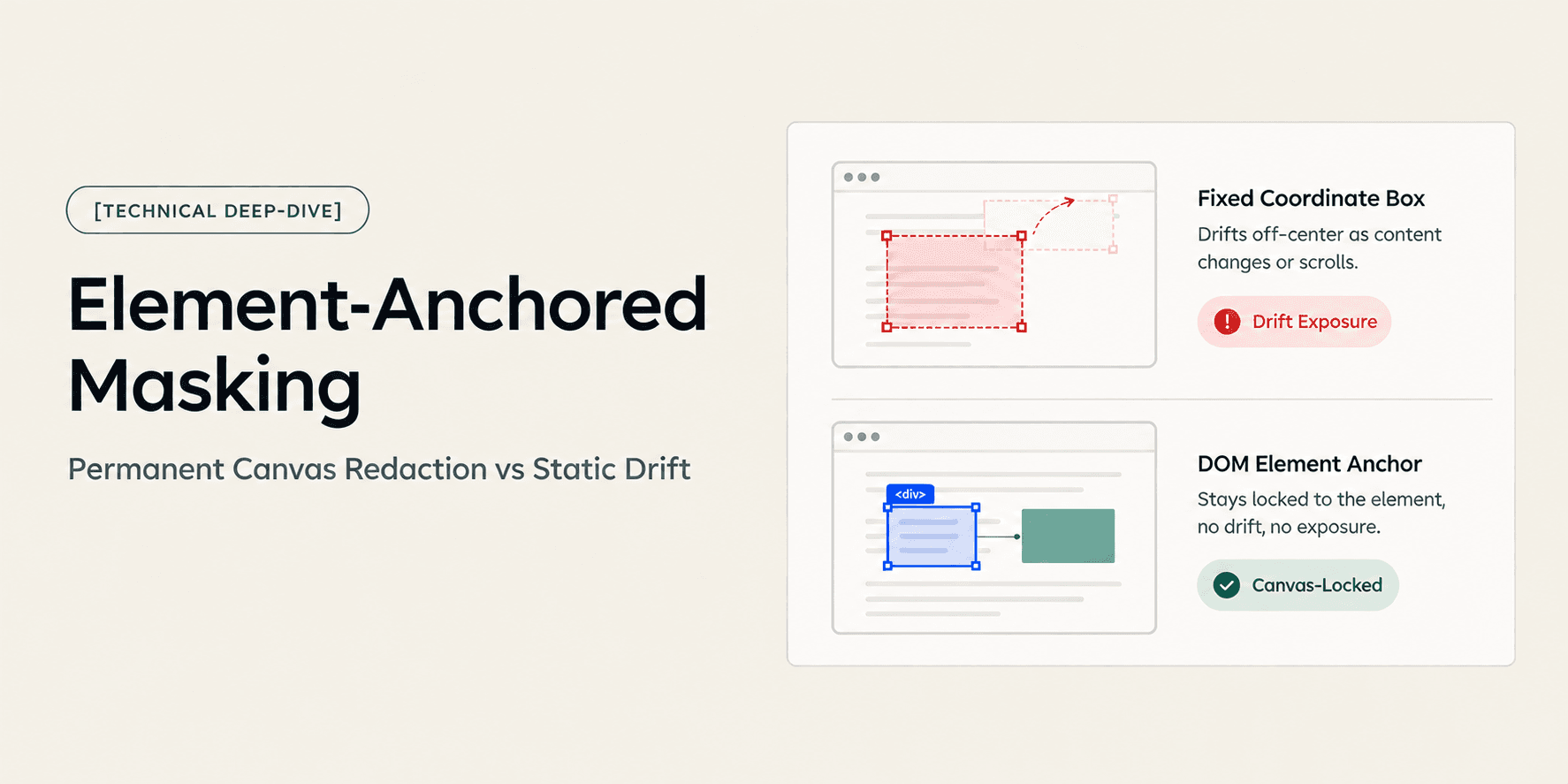
When recording a software walkthrough or client demonstration, hiding sensitive data like API keys, database credentials, or customer personal data is a critical security requirement. Most screen recorders rely on static blur boxes that apply a rectangular filter over fixed pixel coordinates. The moment the user scrolls, resizes a window, or toggles an accordion, the interface content shifts while the blur box remains stuck in place, exposing confidential credentials. In contrast, element-anchored masking attaches the redaction boundary to the Document Object Model (DOM) node itself. Understanding this architectural difference determines whether your shared video recordings protect client data reliably or expose production infrastructure during playback.
Core Concept: Static Coordinates vs. Dynamic DOM Nodes
A static blur box treats video as a flat sequence of raster images. The recorder registers a two-dimensional bounding box defined by fixed horizontal and vertical pixel offsets on the display. It does not know whether the pixels beneath the box belong to a table row, a modal header, or a text input field. If the underlying interface moves by even twenty pixels, the alignment breaks immediately.
Element-anchored masking pairs visual frames with the structural tree of the web application. Instead of locking onto static coordinate numbers, the system binds the mask to a specific DOM node, element class, or component selector. The mask dynamically tracks the element across viewport scrolls, container re-flows, and layout shifts. Wherever that component renders on the screen, the masking layer follows its exact boundaries.
How Element-Anchored Masking Works: The Technical Pipeline
Element-anchored masking relies on synchronized metadata captured directly from the browser runtime. When a creator records a web application, the recorder captures visual display buffers while logging DOM mutation events and element layout metrics in parallel.
The redaction pipeline follows four distinct technical stages:
- Node Selection and Element Binding: The creator highlights an exposed credential or sensitive data container in the post-recording editor. The system queries the underlying document hierarchy to resolve the target node's unique selector path, attributes, and relative dimensions.
- Dynamic Bounding Box Calculation: As the timeline advances, the layout engine calculates the target element's bounding rect relative to the current viewport and scroll offset (
scrollTop,scrollLeft). - Frame-Synchronized Canvas Rendering: Instead of relying on client-side CSS overlays, the system draws an opaque masking filter onto the video canvas layer. The mask re-computes its position at each frame where the element appears.
- Sanitized Presentation Export: When generating the public playback stream, the engine burns the redaction permanently into the rendered media stream. The underlying raw text and sensitive attributes are stripped from public client access.
The Important Difference: Static Blur vs. Element-Anchored Masking
The fundamental difference between these two redaction approaches lies in structural awareness. Static blur boxes rely entirely on external frame coordinates, while element-anchored masking operates with full knowledge of the underlying interface hierarchy.
Technical Criterion | Static Pixel Blur Box | Element-Anchored Masking |
|---|---|---|
Anchor Mechanism | Fixed (x, y) coordinates on a 2D frame | Document Object Model (DOM) element node |
Viewport Scroll Handling | Desynchronizes immediately upon scroll | Tracks element position dynamically with scroll offset |
Layout Re-Flow Resilience | Fails when surrounding elements resize or expand | Adjusts bounding dimensions to matching component size |
Multi-Screen Persistence | Requires manual duplicate boxes on each new view | Automatically masks target element across views |
Security Layer | Superficial CSS filter or flat video pixel blur | Permanent canvas-layer redaction burnt into video stream |
Inspector Vulnerability | Vulnerable if implemented via client CSS styles | Inaccessible to DevTools DOM inspection |
Motion Tracking Burden | Requires manual keyframing in video editors | Zero keyframing required; automated via DOM tree |
Why the Difference Matters: Real-World Workflow Impact
The practical risk of static blur boxes is what security engineers call drift exposure. In a fifteen-minute client walkthrough, a developer might scroll past a database connection string three separate times. With static boxes, the creator must manually place three separate blur layers and keyframe their start and end timestamps. A single miscalculated scroll speed leaves the credentials exposed for several frames. Viewers can pause the video, capture the exposed frame, and extract production credentials.
Element-anchored masking eliminates the manual labor of post-production keyframing. Because the mask binds to the DOM node, it persists as long as the component remains in the viewport. When the user scrolls past the element, the mask scrolls with it. When the component exits the viewport, the mask unmounts cleanly without cluttering adjacent content. This architectural reliability is why web teams prefer DOM-aware capture platforms over legacy desktop video editors. For an architectural deep-dive into how DOM capture differs from standard pixel capture, see our guide on DOM Capture vs Pixel Capture: Why It Changes What a Video Can Answer.
Concrete Example: The Production Stripe Secret Key Leak
Consider a technical agency delivering a custom ecommerce build to a retail client. The lead developer records a walkthrough showing how to manage webhooks and configure payment gateways in the production admin console.
During the demonstration, the developer navigates to the payment settings tab. The page displays a live Stripe production secret key (sk_live_...) inside an input field. The developer continues talking and scrolls down the page to explain webhook endpoints.
- The Static Blur Failure: The developer applies a static blur box over the coordinates where the key originally sat. When they scroll down thirty seconds into the clip, the key moves up and exposes the live secret string for four full seconds. The developer only realizes the mistake after sending the link, forcing them to revoke the Stripe API key and re-record the entire fifteen-minute demo.
- The Element-Anchored Outcome: With element-anchored masking, the developer clicks the input container once in the browser editor. The mask locks onto the input element. When the developer scrolls down, the blur boundary tracks the input container up until it leaves the viewport. The production key never flashes visible, protecting client financial infrastructure without requiring a second recording take. For a step-by-step walkthrough on executing this in client deliverables, consult How to Redact Sensitive Client Data Before Sharing a Screen Recording.
Engineering Deep-Dive: Permanent Canvas Redaction vs. Superficial CSS Blur
A common misconception in web-based screen recording is that applying a CSS blur filter (filter: blur(12px)) constitutes secure redaction. Many lightweight browser capture extensions attempt to hide sensitive inputs by injecting CSS class rules directly into the page before capture or applying CSS overlays over the video player during playback.
This approach creates severe security vulnerabilities:
- DevTools Reversibility: If the player applies a CSS blur filter over live DOM text, any recipient can right-click the video container, open browser developer tools, and disable the CSS rule or inspect the underlying text node. The hidden string is immediately readable in plaintext.
- Frame Leakage on Initial Render: Client-side CSS filters frequently load after the initial DOM paint, exposing raw credentials for a split second before the styling rule executes.
- Inability to Withstand Video Download: If the viewer downloads the raw MP4 stream or inspects network requests, client-side CSS overlays are absent, leaving the underlying video frames completely unmasked.
True element-anchored masking operates at the canvas layer. The capture engine computes the bounding box from the DOM node, but renders the blur directly onto the raster canvas before encoding the video buffer. When the video stream is delivered to public viewers, the original pixels underneath the mask have been mathematically replaced with blurred or opaque pixel values. Even if a viewer inspects the network traffic or attempts to download the media asset, the underlying text data no longer exists in the media stream.
Technical Limitations, Trade-offs, and Boundaries
While element-anchored masking offers superior tracking and security for web applications, it operates within clear architectural boundaries:
- Browser-Context Limitation: Element-anchored masking requires access to Document Object Model data. It functions reliably within web browsers and web-based applications, but cannot inspect native desktop applications, local command-line terminals, or operating-system dialogs.
- Dynamic DOM ID Volatility: Web applications built with heavily obfuscated CSS modules or randomized component IDs may experience tracking loss if an element unmounts and remounts with completely new attribute hashes across tab reloads.
- Off-Canvas Elements: If an interface uses canvas-rendered web graphics (such as an HTML5 WebGL game or non-DOM charting library), individual components lack inspectable DOM nodes. In those rare scenarios, fallback coordinate masking remains necessary.
How Demoly Implements Element-Anchored Redaction
Demoly bridges browser capture and post-production privacy by integrating a dual-layer architecture. When you record a web application walkthrough, Demoly captures the visual display stream while indexing DOM nodes, user interactions, and route events in parallel.
This architecture enables several core redaction and privacy capabilities:
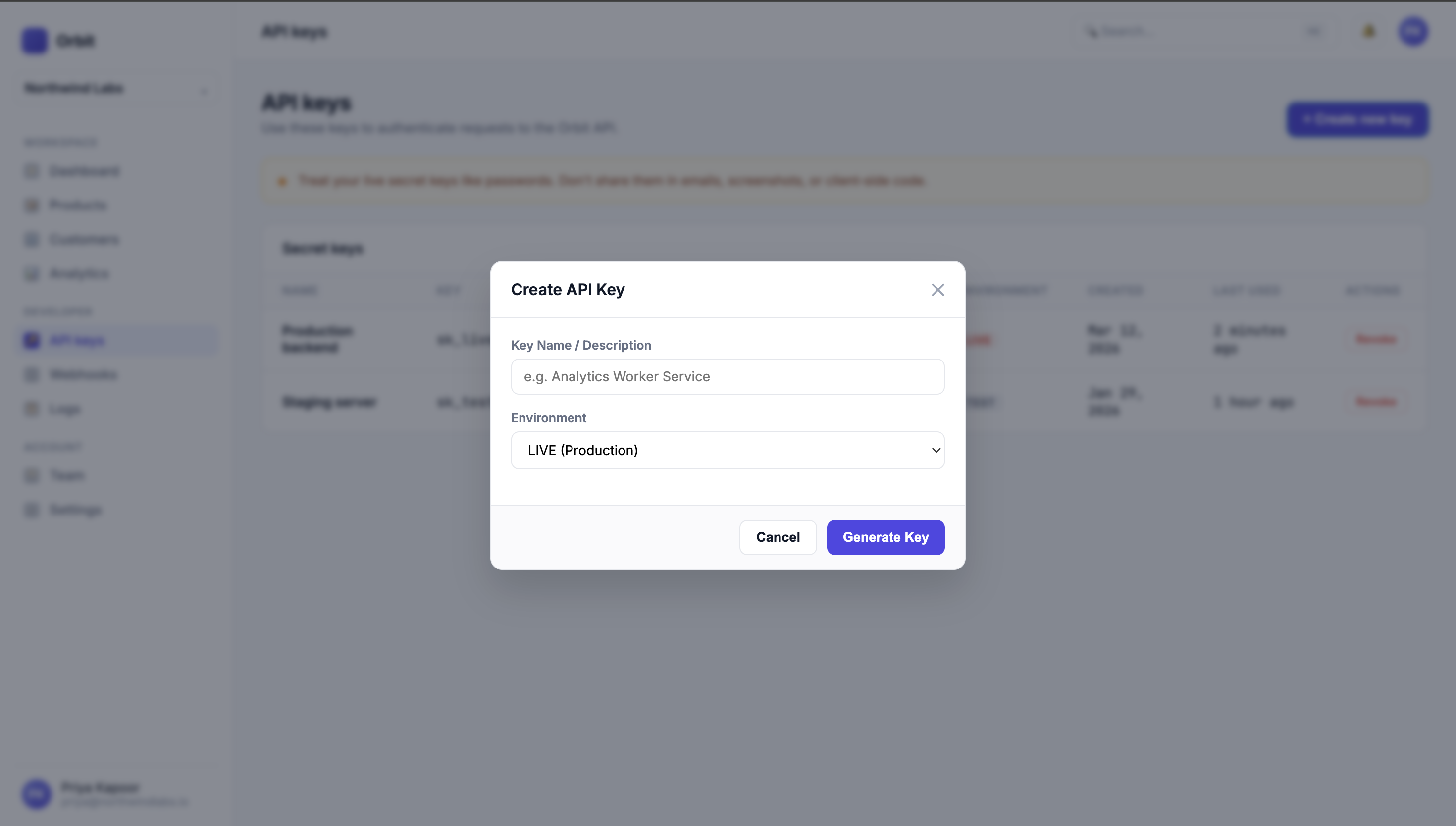
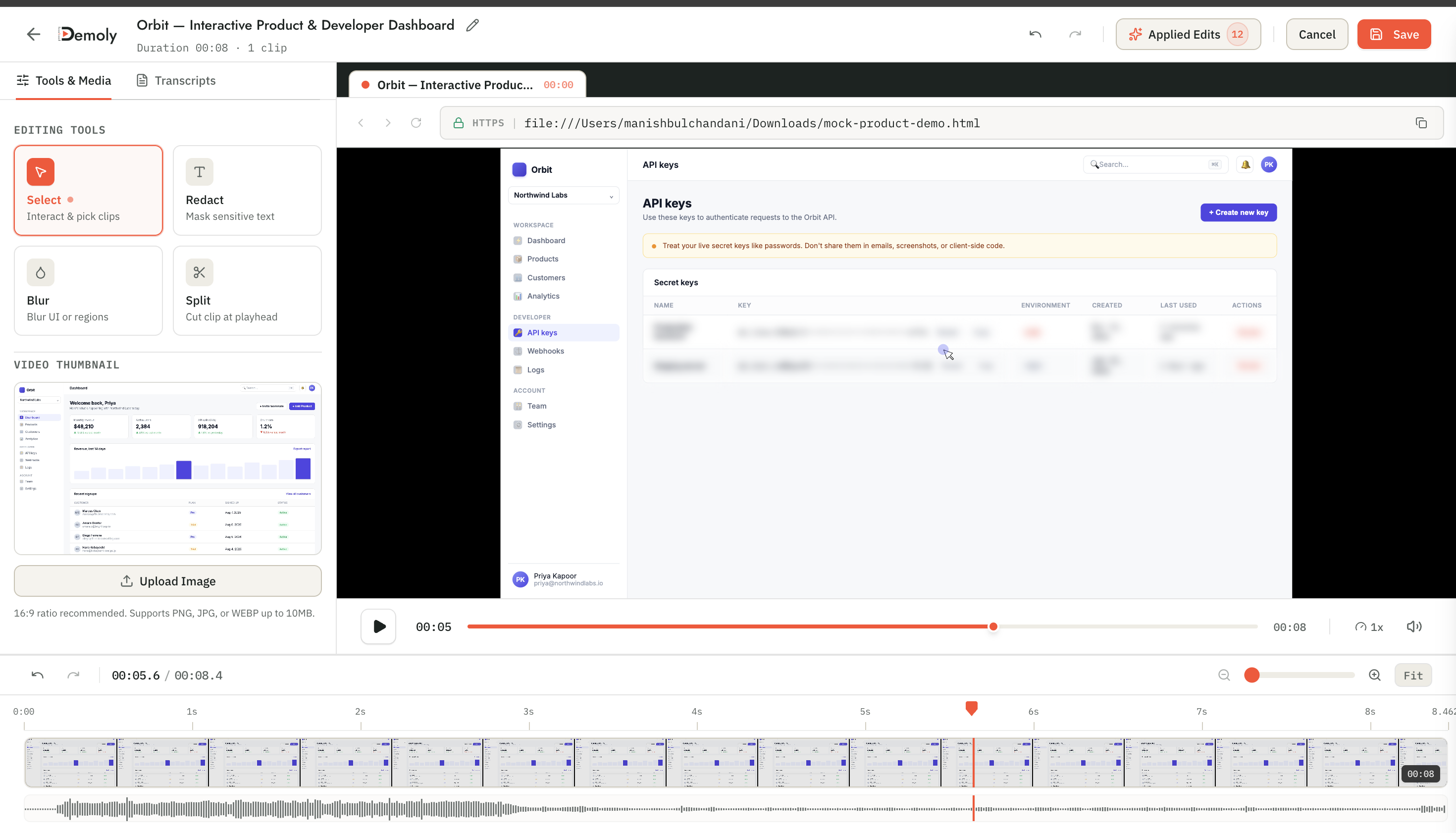
- One-Click Element Binding: In the Demoly studio editor, creators can pause at any timestamp and click a specific UI element, form input, or data table to apply an instant mask. The mask binds to the DOM component and tracks it across timeline playback.
- Permanent Canvas Redaction: Demoly burns redaction boundaries directly into the video canvas layer prior to public presentation. Public viewers cannot inspect DOM properties or remove overlays via browser developer tools.
- Non-Destructive Workspace Editing: Within the authenticated creator workspace, redaction remains fully editable. If an administrator needs to adjust a boundary or unmask a field, they can update the mask without re-recording the walkthrough.
- Integrated AI Re-Indexing: When an element is masked or a timeline section is trimmed, Demoly automatically re-indexes the event log and transcript so AI search queries align with the sanitized timeline. To learn more about creating search-ready client assets, see How to Record a Web App Walkthrough Your Client Can Actually Search.
Conclusion
Static blur boxes were designed for flat video files, making them ill-suited for dynamic web applications with continuous scrolling and responsive re-flows. By anchoring redaction boundaries directly to DOM elements and burning masks into the canvas layer, element-anchored masking ensures confidential client data remains permanently protected without tedious keyframing or stressful re-records.
Frequently asked questions
Commonly asked questions about this article.
01•What is the difference between static blur boxes and element-anchored masking?
Static blur boxes lock to fixed pixel coordinates on a video frame, while element-anchored masking attaches to specific DOM elements. When pages scroll or shift, element-anchored masks track the component dynamically.
02•Can viewers uncover masked data by inspecting the browser with DevTools?
Not with permanent canvas-layer masking. Unlike superficial CSS filters, canvas redaction burns the blur directly into the video stream, expunging the original pixels so the underlying data cannot be recovered by inspecting the DOM.
03•What happens when an element-anchored mask scrolls off the screen?
The mask follows the element as it scrolls and unmounts naturally when the element leaves the viewport. It re-anchors immediately when the element scrolls back into view, preventing unwanted blur boxes on adjacent text.
04•Does element-anchored masking work on native desktop applications?
No. Element-anchored masking requires access to the Document Object Model (DOM) of web applications and browser tabs. For native desktop windows or local terminals, recorders must fall back to coordinate-based pixel masks.
05•Is element-anchored redaction permanent or reversible?
In Demoly, redaction is non-destructive for workspace creators, who can adjust or remove masks at any time. However, for external public viewers, the output stream is permanently sanitized, ensuring confidential data cannot be unmasked.
Demoly Team
Contributor
Related Dispatches
View all dispatches →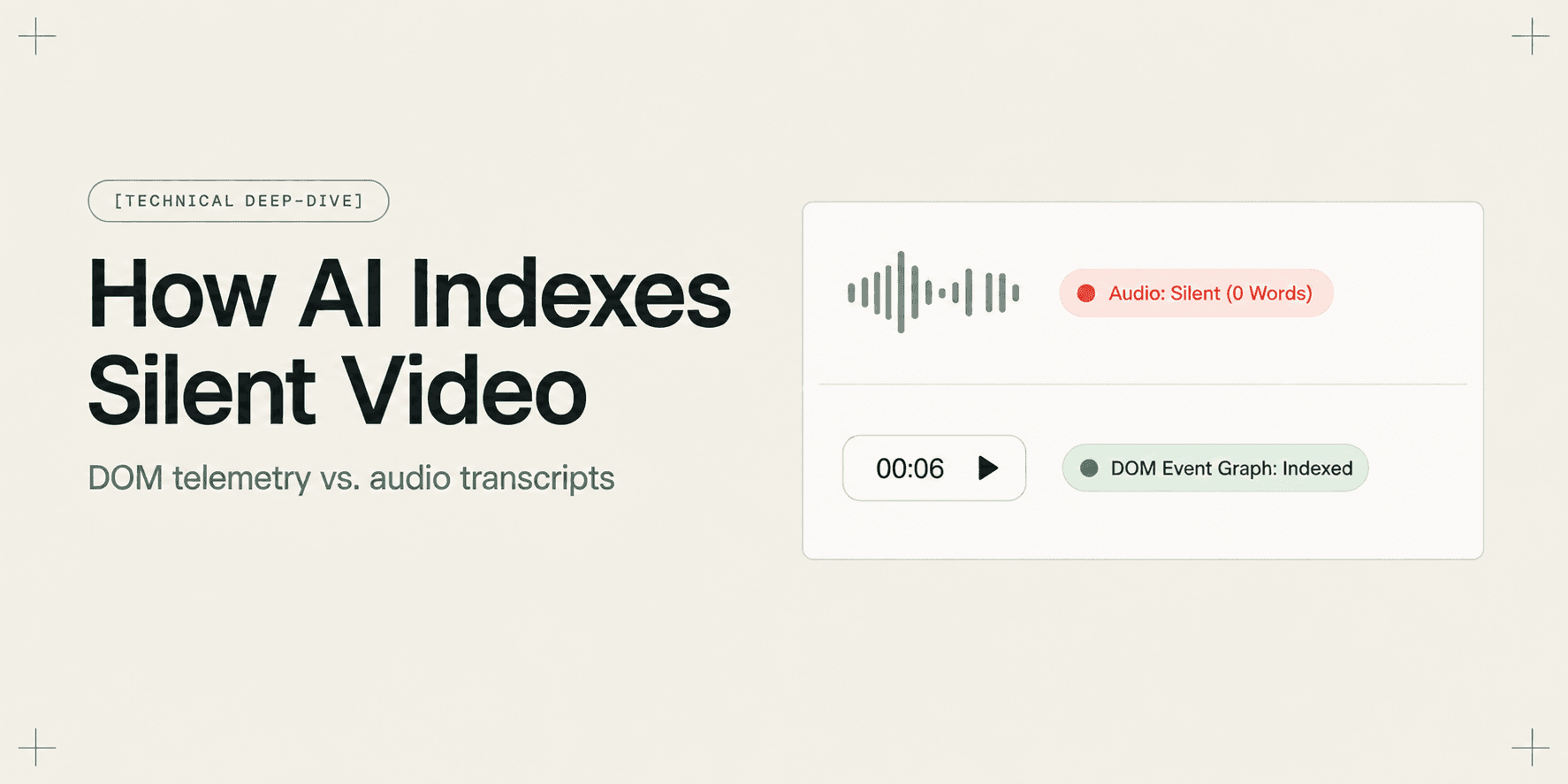
How AI Indexes a Silent Screen Recording
Discover how AI indexes silent screen recordings by combining visual computer vision with structured DOM event telemetry, turning unvoiced clicks into searchable moments.

Why Non-Destructive Video Editing Matters for Client Work
Discover why non-destructive video editing and declarative timeline overlays eliminate broken client links, preserve raw recordings, and keep AI search synchronized.
Why Transcript-Only Video Search Fails (And What Fixes It)
Transcript-based video search fails because it only indexes spoken words, missing silent UI clicks, form inputs, and tab switches. Discover why DOM event indexing fixes video search.
Try Demoly for your team
Create branchable, interactive demo recordings and deliverables in minutes with zero friction.