How Agency Founders Cut Post-Launch Client Support Hours
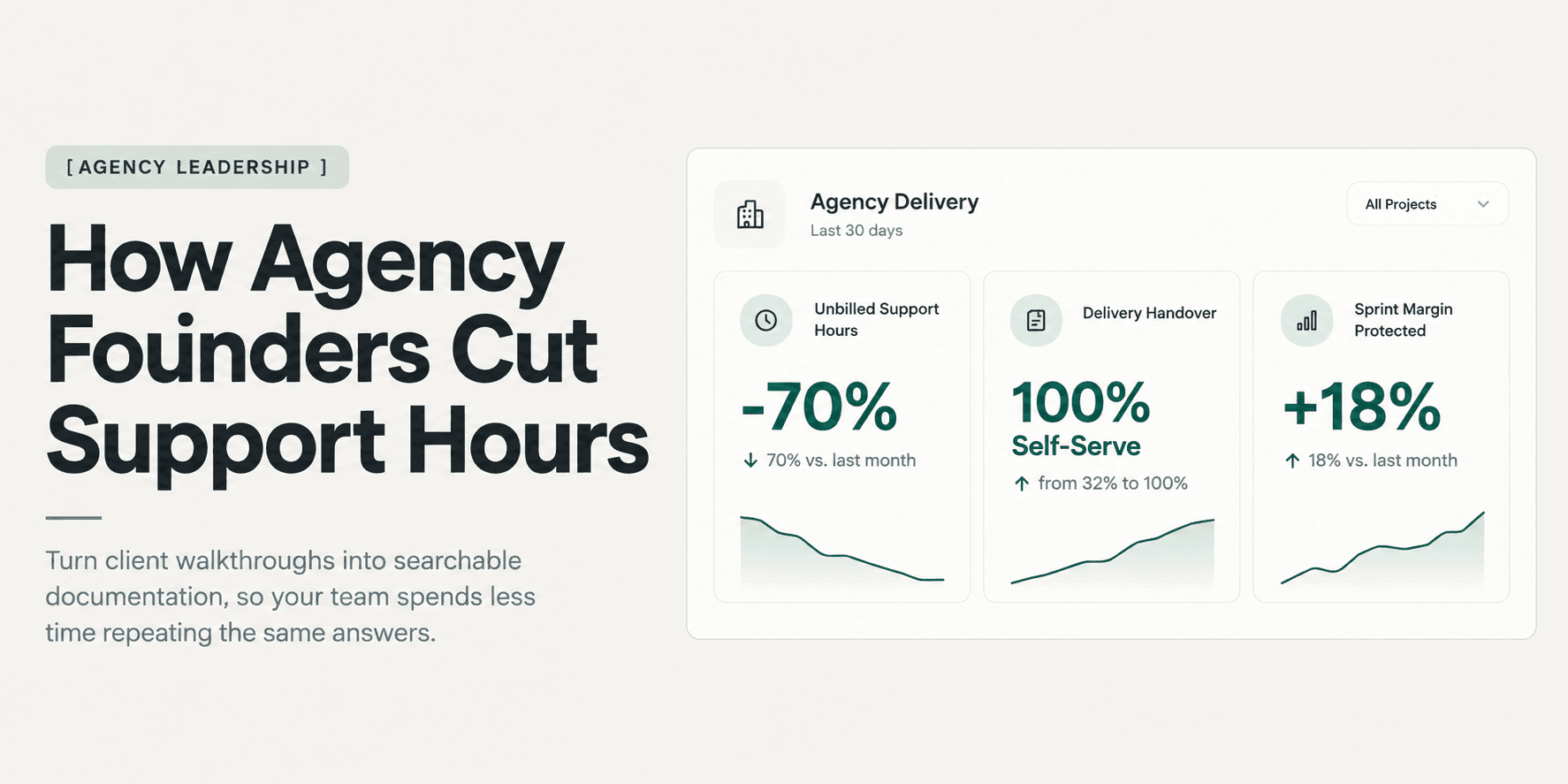
Unbilled post-launch client questions quietly erode project profit margins and pull senior engineers out of billable sprints. Discover how agency founders eliminate post-delivery support hours using structured handovers and searchable visual walkthroughs.
How Agency Founders Cut Post-Launch Client Support Hours
The project cutover wraps on schedule, the staging environment promotes cleanly to production, and the client sends an enthusiastic note thanking your team for a smooth delivery. But three business days later, the real cost of the engagement begins to show.
A marketing coordinator cannot locate where form submissions route. An operations manager pings your lead engineer on Slack asking how to update header navigation menus. A newly hired content editor emails the agency founder directly because an image upload breaks a custom grid layout.
None of these requests represent software defects. The application code functions exactly as scoped. Yet every query requires an engineer or project lead to stop active sprint work, recall context from a closed repository, log into a client dashboard, and compose an instructional reply.
Because standard fixed-fee contracts rarely account for ongoing user coaching, agency founders absorb these interruptions as a cost of doing business. Across four or five client deliveries per quarter, unbilled post-launch support quietly drains 15 to 25 hours of senior engineering capacity each week, eroding net margins by 12% to 20%.
Eliminating this operational leak requires replacing reactive client communication with an asynchronous delivery standard that prevents repetitive inquiries from ever reaching your team.
The Post-Launch Margin Preservation Standard
Agency founders who protect delivery margins follow a strict operational baseline:
- Explicit Scope Separation: Distinguish functional warranty defects from user training and operational support in the delivery agreement.
- Modular Asynchronous Repositories: Deliver handovers as modular, two-minute task guides rather than marathon training calls or 40-page written manuals.
- Searchable Interaction Context: Provide walkthroughs that index both visual button clicks and spoken narration so clients can search answers directly.
- Single Support Gateway: Eliminate direct client access to developer DMs and founder emails by routing all post-launch inquiries through a single triage portal.
- Clear Retainer Conversion Paths: Convert out-of-scope operational questions into recurring maintenance agreements after the formal acceptance window closes.
Why Post-Launch Support Hours Spiral
Post-launch support rarely spirals due to difficult clients or poor code quality. It spirals because agencies deliver software using communication formats that break down the moment the client takes over daily operations.
1. The Context-Switching Tax on Senior Engineers
When a client hits an operational wall, they take the path of least resistance: emailing the lead developer who built the feature.
Even a simple five-minute inquiry carries a hidden 25-minute recovery cost. An engineer working on high-value billable client work must pause their development environment, review the client build, write an instructional email with screenshots, and wait for confirmation. When this occurs three times a day across multiple past accounts, senior engineers lose their most productive focus blocks to basic user support.
2. Knowledge Trapped in Linear Formats
Agencies traditionally deliver handovers through two mediums: a 60-minute recorded Zoom call or a comprehensive Notion document. Both formats fail non-technical clients under real deadline pressure.
A marketing editor trying to schedule a blog post at 4:30 PM on a Friday will not read a 35-page written manual. Nor will they scrub through an unstructured 60-minute screen recording hoping to find the six seconds where an engineer demonstrated image optimization. Instead, they pick up the phone or send an urgent email. Flat video and dense documentation trap knowledge on a timeline that clients refuse to navigate.
3. Scope Ambiguity Around "Post-Launch Warranty"
When a statement of work includes a "30-day post-launch warranty" without granular definitions, clients interpret that window as an all-inclusive concierge service.
Clients assume the agency will train new staff, modify copy, troubleshoot third-party integrations, and answer administrative questions for free. Because agency founders fear damaging client relationships before collecting final milestone payments or securing referrals, they permit the scope creep, absorbing dozens of unbilled support hours.
5 Steps to Cut Post-Launch Support Hours
To protect project margins and free senior engineers from repetitive support cycles, agency founders must establish this structured delivery workflow across every engagement.
Step 1: Establish Hard Acceptance and Support Boundaries
Margin preservation begins before your team writes the first line of code. Your master services agreement (MSA) and statement of work must draw a sharp line between warranty repairs and operational training.
- Warranty Coverage: Define warranty strictly as code defects where delivered functionality fails to match agreed specifications under specified browser conditions.
- Excluded Services: Explicitly state that content authoring, administrative user onboarding, third-party API credential resets, and CMS coaching fall outside warranty coverage.
- Acceptance Sign-Off: Tie final milestone release to formal written sign-off, initiating a fixed 14-day defect warranty window.
Aligning deliverables, access provisioning, and sign-off criteria before project completion is essential. Agencies using the complete client handover checklist for web agencies establish clear operational boundaries that prevent post-delivery confusion.
Step 2: Replace Marathon Live Calls with Modular Task Walkthroughs
Live handover calls feel thorough, but they provide poor long-term utility. During a live walkthrough, clients nod along politely while absorbing less than 20% of the operational steps. Two weeks later, when they must perform the task independently, the knowledge has vanished.
Replace the 60-minute handover call with a library of focused, bite-sized walkthrough videos. Each recording must cover exactly one isolated task:
- "How to publish a new case study and link relevant industry tags" (2 minutes)
- "How to invite a team member and configure editor permissions" (90 seconds)
- "Where to find production Stripe webhook secrets and form notifications" (90 seconds)
Modular recordings allow clients to watch the exact task they need without searching through irrelevant product architecture discussions.
Step 3: Implement Visual and Action-Searchable Video Repositories
Short videos solve cognitive overload, but clients still face the friction of finding which recording contains their answer. If an agency delivers 25 separate video links across email threads or Google Drive folders, the client will abandon the library and email the developer.
Modern agencies deploy interactive walkthrough repositories that index visual browser events alongside spoken narration. When video recordings catalog on-screen button clicks, form fills, and navigation paths, clients can query the library using natural language (such as "Where do I configure notification emails?") and jump directly to the exact second that action occurs.
Agencies that replace static screen recordings with indexed visual walkthroughs see dramatic drops in incoming questions, as detailed in our guide on how to cut post-launch client support calls by 70%.
Step 4: Route Incoming Questions Through an Asynchronous Support Gateway
Even with clear documentation, some clients will attempt to email developers directly out of habit. Founders must establish a firm support protocol:
- Remove Direct Developer Channels: Transition client communication off developer Slack channels or personal emails upon final deployment.
- Deflection-First Responses: When a client emails an operational question, team members must never write out a custom multi-paragraph response. Instead, reply immediately with a polite link to the exact timestamp in the handover walkthrough hub.
- Train for Self-Service: Demonstrating that answers exist in the searchable library trains clients to query the documentation hub first before composing an email.
Step 5: Convert Post-Warranty Inquiries into Paid Maintenance Retainers
When the warranty period expires, post-launch questions become your agency's best business development asset.
Instead of treating out-of-scope requests as frustrating unpaid labor, use them to demonstrate the business value of ongoing maintenance. When a client requests minor layout modifications or ongoing team training, respond with a structured options framework:
- Option A (Self-Service): Direct them to the relevant section of their existing walkthrough library at no charge.
- Option B (Ad-Hoc Hourly): Quote an hourly emergency support rate ($175–$250/hour) with a two-hour minimum billing block.
- Option C (Monthly Care Retainer): Offer a dedicated monthly maintenance tier ($750–$2,500/month) covering proactive software updates, scheduled content changes, and guaranteed response SLAs.
This operational boundary transforms an unbilled support drain into predictable recurring revenue.
What Makes an Effective Agency Handover Packet
A professional handover packet removes ambiguity by standardizing project documentation into four predictable operational layers:
Handover Component | Core Purpose | Typical Artifact Contents |
|---|---|---|
Acceptance & Warranty Protocol | Establishes legal boundaries and defines defect resolution timelines. | Written sign-off signpost, 14-day defect warranty scope, out-of-scope billing rate schedule. |
Credentials & Architecture Hub | Centralizes production environments without exposing raw security tokens. | Hosting URLs, DNS provider notes, third-party service links, redacted API key references. |
Role-Based Walkthrough Library | Provides task-focused guidance segmented by user responsibility. | Content Editor guides (blog, pages, assets); Admin guides (users, billing, integrations). |
Support Gateway & Triage SLA | Manages communication flow and deflects ad-hoc developer interruptions. | Central support submission link, 24-hour response SLA, self-service video search hub. |
Comparing Client Support Formats
The media format an agency selects to hand over completed projects directly determines how many support hours the team will spend answering questions post-launch.
Handover Format | Creation Effort | Search Experience | Client Adoption | Impact on Support Hours |
|---|---|---|---|---|
Live Google Meet / Zoom Calls | Moderate (60–90 min live) | Non-existent; video is rarely revisited | High attendance; zero retention | High support volume; clients request repeat meetings |
Written Notion / PDF Manuals | Very High (8–12 hours to draft) | High for text, but difficult to visualize UI | Very low; clients ignore dense multi-page text | High support volume; clients ask questions answered in text |
Standard Screen Recorders (Loom) | Low (15–30 min recording) | Limited to spoken transcript keywords | Moderate; clients abandon long timelines | Moderate support volume; cannot find silent actions |
Interactive Searchable Walkthroughs (Demoly) | Low (10–20 min modular capture) | Complete visual and action indexing with AI Q&A | High; instant natural language timestamp jumps | Up to 70% reduction in unbilled support queries |
Choosing the right documentation platform is critical to protecting project margins. To compare tools, feature sets, and operational trade-offs across different agency workflows, review our analysis of the best tool for client project handovers.
Using Demoly to Eliminate Post-Launch Support Overhead
Demoly was created by agency founders who experienced this exact operational bottleneck while delivering web applications and custom software platforms across dozens of client engagements.
Standard screen recording tools produce flat video files that capture sound, but leave visual interactions unindexed. When a client searches for a menu click or a settings toggle that was not spoken aloud, standard tools fail. Demoly bridges this gap by turning browser screen recordings into an interactive, AI-searchable knowledge hub.
1. Rapid Modular Recording Across Web Applications
The Demoly lightweight Chrome extension records web application walkthroughs across tabs without performance lag. Agency teams record two-minute task demonstrations as natural parts of the final staging QA workflow, generating complete handover libraries in minutes rather than spending entire days drafting written manuals.
2. Canvas-Level Redaction for Sensitive Production Data
Agencies regularly manage client production keys, customer databases, and payment gateways. Showing raw API keys or live customer data in a handover recording creates severe security liabilities.
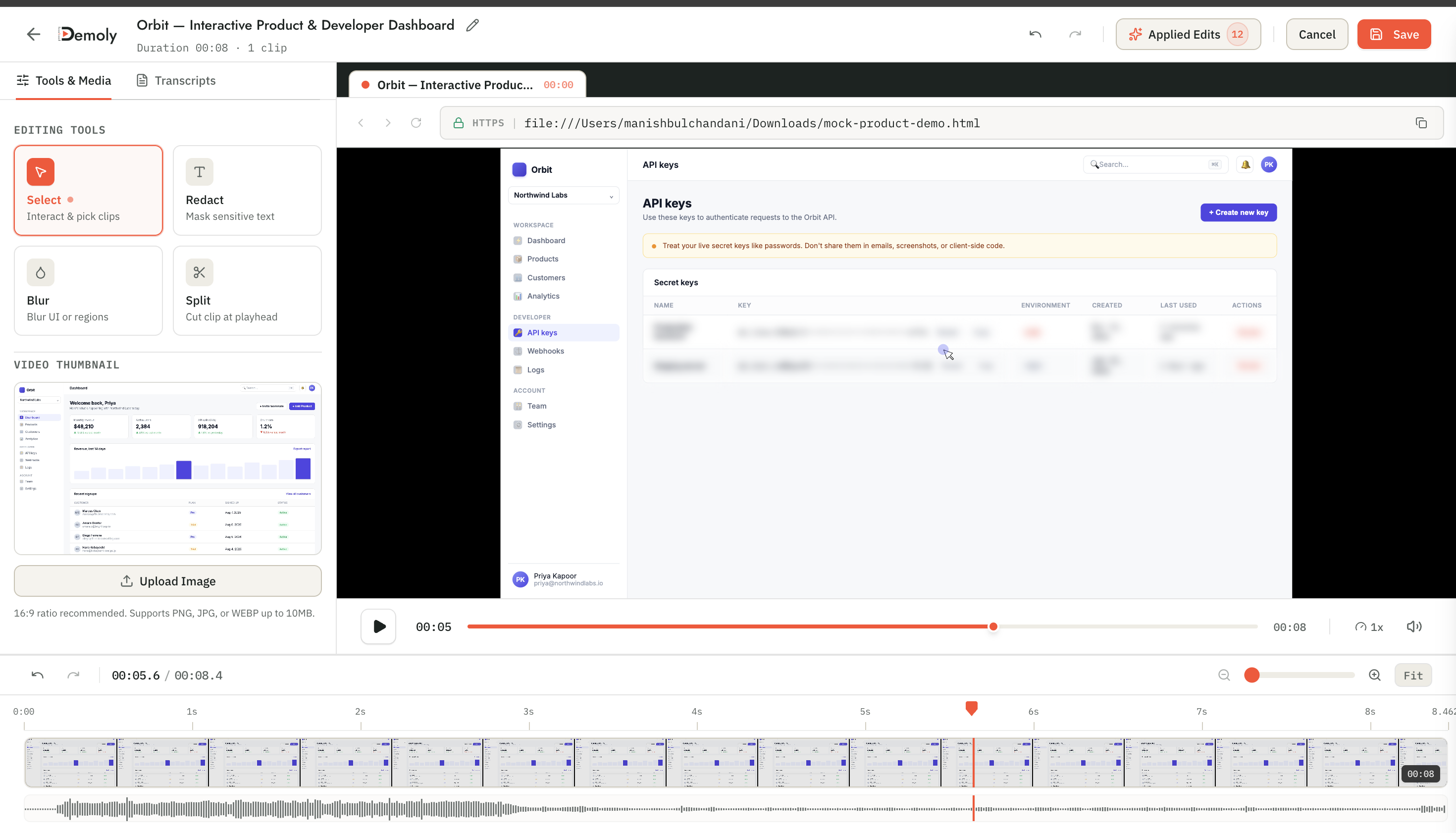
Demoly provides canvas-level element blur and masking directly inside the browser editor. Agency leads permanently redact sensitive API tokens, private customer records, and live passwords from video frames before publishing, ensuring handover recordings remain secure and compliant.
3. Ask Demoly AI for Instant Client Self-Service
Instead of emailing a developer when they get stuck, clients open the handover recording and ask questions directly in the Ask Demoly AI drawer.

Clients type natural questions such as "How do I update the footer links?" or "Where do I export form entries?" Demoly's visual indexing engine searches both speech transcripts and on-screen interface actions, returning a direct, concise response paired with a clickable timestamp chip (▶ Jump to 01:14). Clicking the chip jumps the client directly to the exact point in the interface where the task is demonstrated.
4. Zero-Friction Client Link Sharing
Traditional tools require clients to download specialized software, register accounts, or accept team seats just to view documentation.
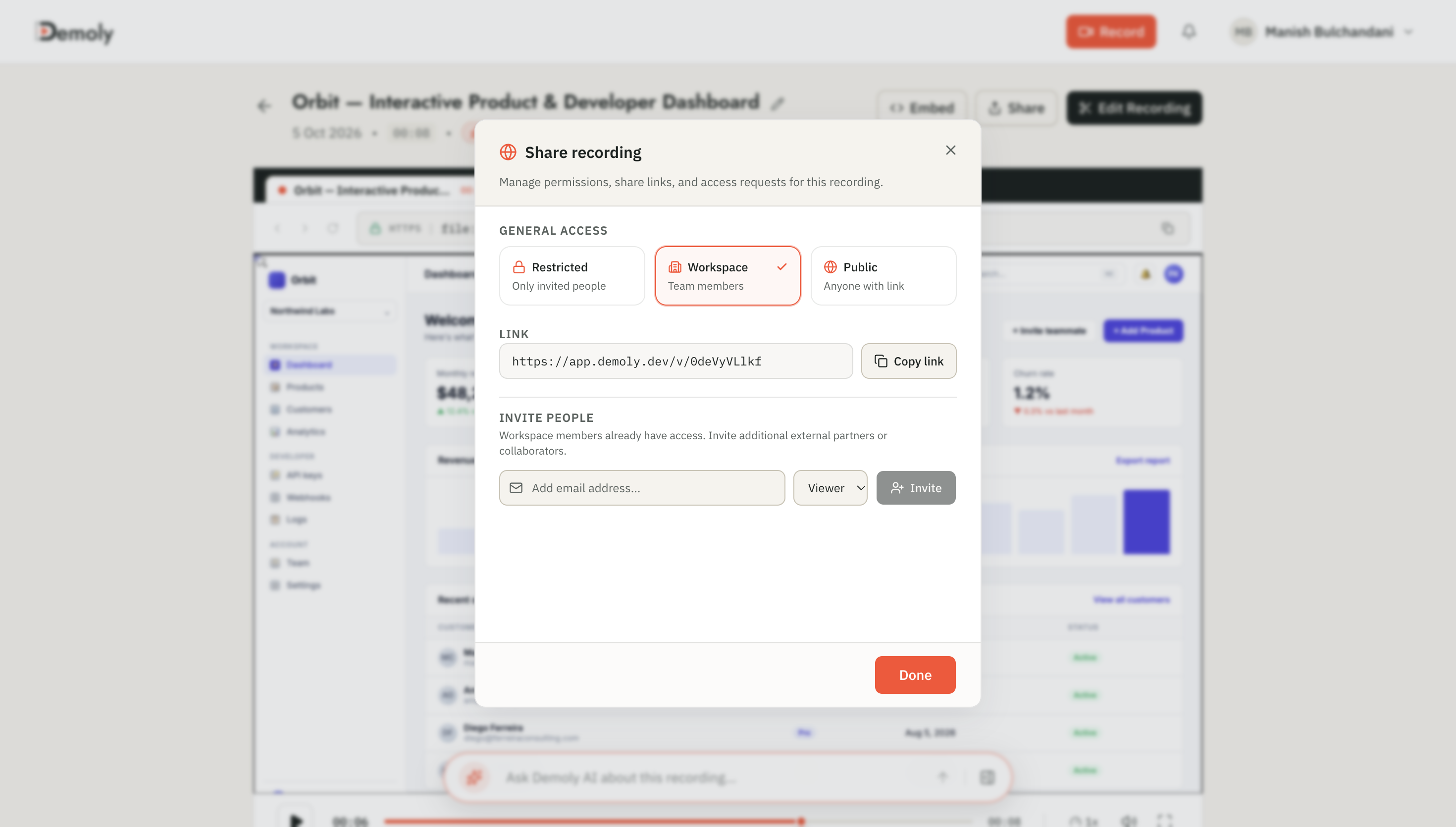
Demoly walkthroughs open directly in any modern browser via secure public links. Clients watch videos, search questions with AI, and navigate project steps without creating accounts, downloading extensions, or incurring per-seat software licensing fees.
Frequently asked questions
Commonly asked questions about this article.
01•How do agency founders separate bug warranty from unbilled training support?
Contracts must explicitly define warranty as code defects violating agreed functional specifications, while classifying CMS training, content uploads, and staff onboarding as out-of-scope billable support.
02•Why do clients email developers instead of reading handover documentation?
Clients email developers because reading 30-page manuals or scrubbing long videos takes too much time under active deadlines. Providing modular, searchable walkthroughs gives clients faster answers.
03•Can clients search Demoly recordings without watching entire videos?
Yes. Clients ask everyday questions inside the Ask Demoly AI drawer, which scans spoken words and on-screen UI actions to deliver clickable timestamp jumps to exact frames.
04•Do clients need to create an account or pay for a seat to watch handovers?
No. Demoly links open instantly in any standard browser without requiring viewer accounts, browser extensions, or per-seat licensing fees.
05•How do we prevent sensitive client credentials from appearing in handover recordings?
Demoly features built-in canvas element blur, allowing agency teams to permanently redact private API keys, client passwords, and personal data from video frames before sharing links.
Demoly Team
Contributor
Related Dispatches
View all dispatches →
How Tech Leads Hand Off a Codebase Walkthrough to a New Engineer
Live repo tours drain senior engineering hours and leave new hires struggling with undocumented runtime dependencies. Discover how tech leads hand off codebases asynchronously using modular, AI-searchable walkthroughs.
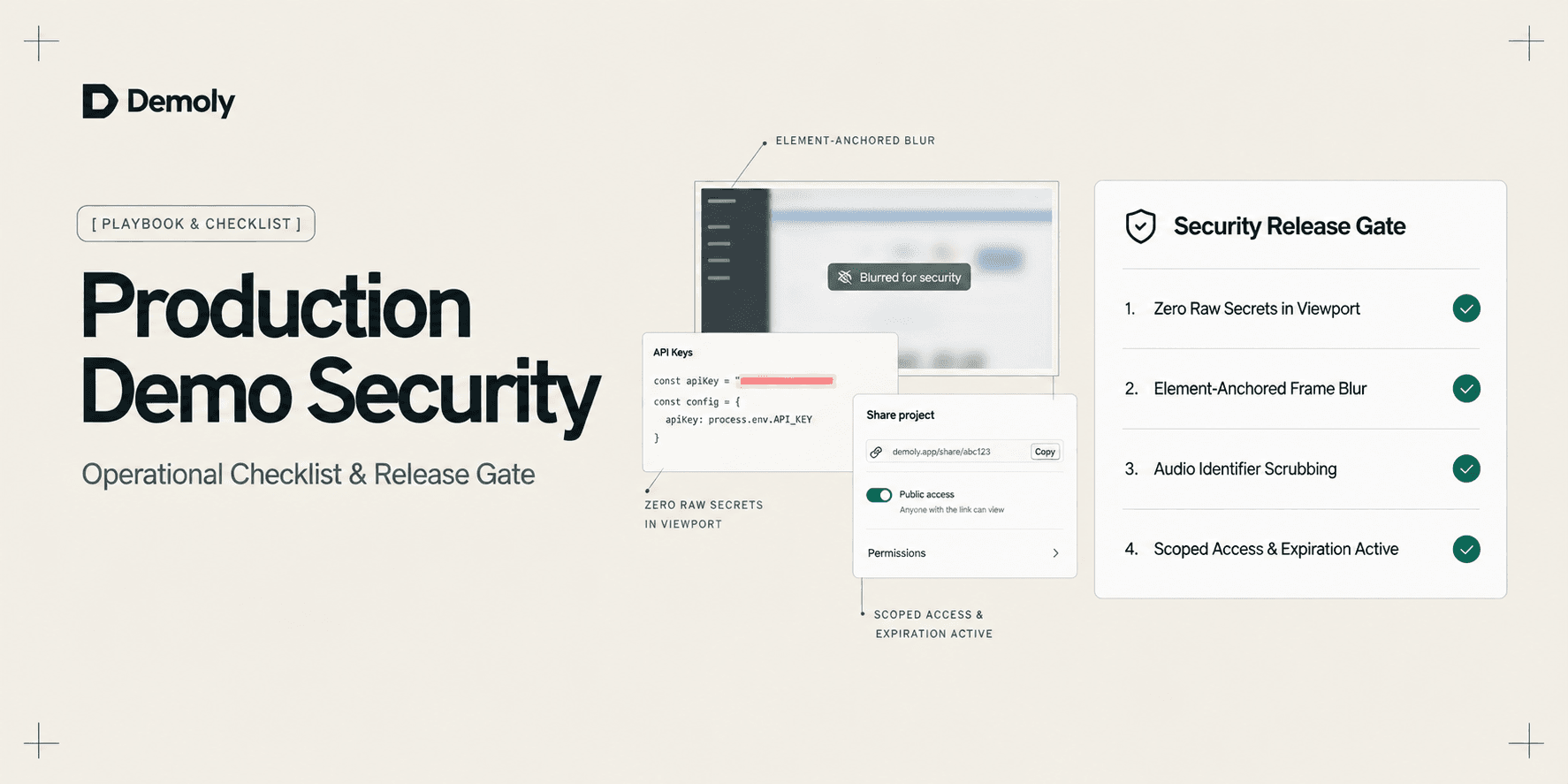
A Security Checklist for Sharing Demos of Live Production Environments
Prevent credential leaks, PII exposure, and compliance violations. Use this operational security checklist to safely record and share demos of live production environments.
Best Screen Studio Alternatives for Windows and Linux
Looking for Screen Studio alternatives on Windows or Linux? Compare top cross-platform tools for auto-zoom effects, AI-searchable walkthroughs, and screen recording.
Try Demoly for your team
Create branchable, interactive demo recordings and deliverables in minutes with zero friction.