The Async Communication Playbook for Distributed Agency Teams
Eliminate timezone bottlenecks and calendar gridlock. Learn the operational playbook distributed agencies use to manage cross-timezone handoffs and client updates asynchronously.
The Async Communication Playbook for Distributed Agency Teams
Distributed agency teams often believe their primary operational challenge is physical distance. In practice, the real bottleneck is calendar dependency. When engineering teams in Eastern Europe, designers in Latin America, and account leads in North America rely on real-time meetings for daily alignment, project momentum stalls. Work sits idle for sixteen hours waiting for a thirty-minute video call to clarify basic implementation details.
Real-time habits imported into remote environments create constant context switching. Developers pause deep work to answer urgent Slack pings, while project managers spend their mornings coordinating calendar slots across conflicting time zones. When team members cannot find documented context, delivery schedules slip and operational overhead multiplies.
This playbook outlines an asynchronous operating system built specifically for distributed digital agencies. By standardizing written handoff briefs, establishing tiered escalation triggers, and replacing repetitive meetings with searchable visual walkthroughs, your team can maintain continuous twenty-four-hour delivery velocity without burnout.
Core Pillars of Async Agency Communication
Shifting from real-time reactivity to structured asynchronous collaboration requires four foundational operating rules:
- Written-First Documentation: Every strategic decision, architecture change, and client revision must be documented in a persistent shared space rather than decided verbally during calls.
- Standalone Context Packages: Updates must contain all necessary links, reproduction steps, staging URLs, and acceptance criteria so the receiving team member can execute without asking clarifying questions.
- Asynchronous Review Loops: Internal QA checks, code reviews, and design critiques must follow a predictable, time-bound review window rather than requiring live presentation sessions.
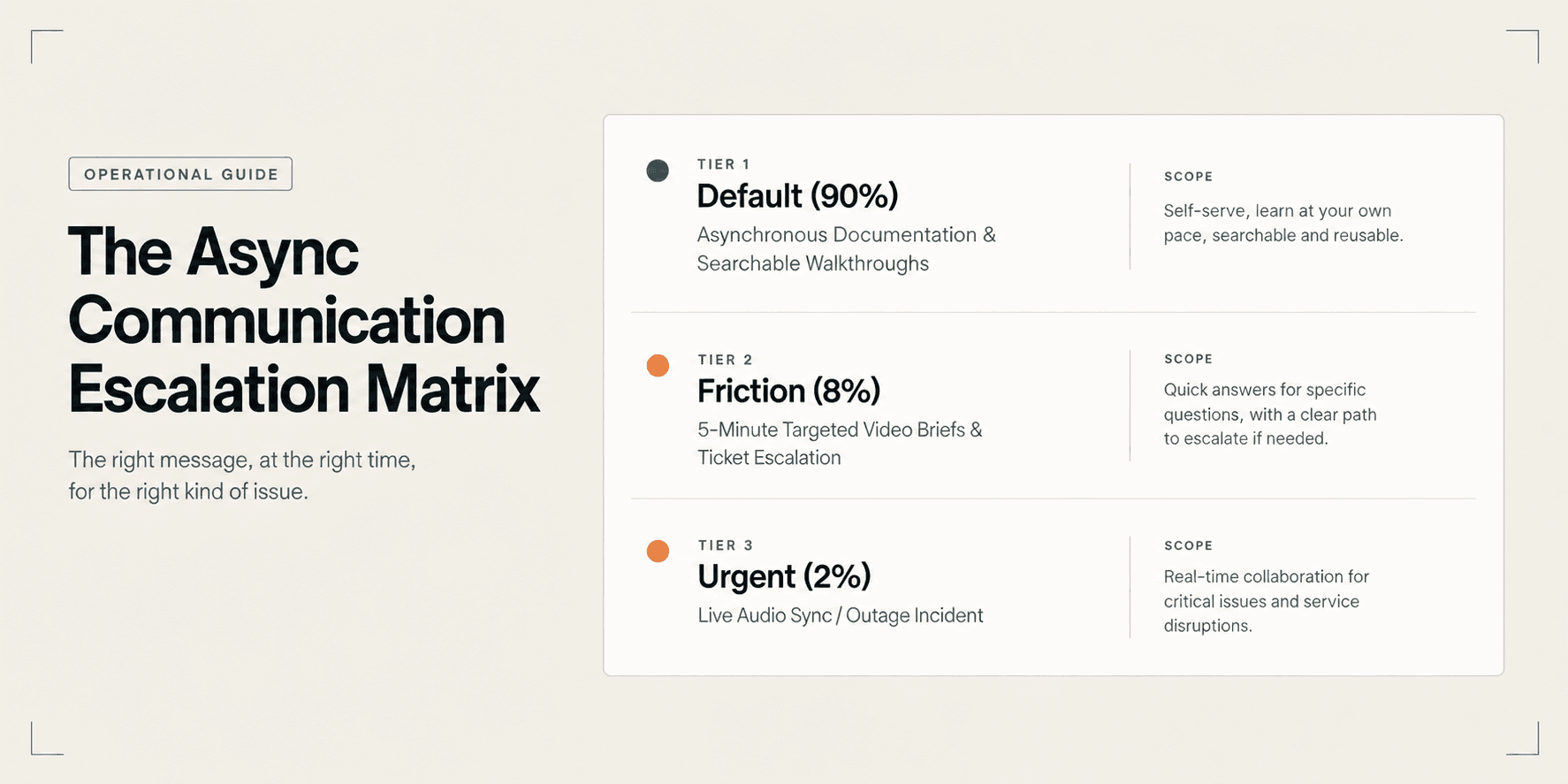
- Tiered Escalation Boundaries: Teams must clearly define what qualifies as an emergency requiring immediate interruption versus what belongs in standard project queues.
The Distributed Agency Async Playbook
Use this framework to structure daily operations, cross-timezone handoffs, and client interactions across your agency.
1. Channel Architecture and Communication Triage
Chaotic communication happens when teams use a single chat tool for announcements, technical discussions, and social chatter. Separate communication channels by urgency and persistence:
- Persistent Knowledge Repositories: Store technical specifications, project scopes, API keys, and brand assets in structured documentation tools. Never treat Slack or Microsoft Teams channels as permanent file archives.
- Task-Specific Ticket Threads: Keep all discussions tied to a specific task, user story, or bug ticket within your project management system. When an engineer picks up an issue, all relevant context must exist on that card.
- Broadcast Channels for Daily Standups: Replace live morning standup meetings with asynchronous check-ins. Team members post three items at the start of their day: completed deliverables, current sprint focus, and immediate blockers.
- Synchronous Escalation Only: Reserve live audio or video calls for high-friction personnel issues, initial creative brainstorms, or severe production outages.
2. The 24-Hour Timezone Handoff Protocol
When team members finish their working day, the next team in the sequence should pick up the work without confusion. Follow this three-step end-of-day handoff routine:
- Update Task State and Staging URL: Move the ticket to the next workflow state, verify the staging deployment branch, and paste the direct preview link on the ticket.
- Record a Two-Minute Walkthrough: Rather than typing a lengthy explanation of UI nuances or edge cases, record a focused two-minute browser walkthrough demonstrating the active state.
- List Explicit Acceptance Criteria: Clearly note what the receiving teammate needs to review, test, or implement before passing the work along.
3. Asynchronous Client Delivery and Review Loops
Client meetings consume valuable project hours and rarely leave behind usable documentation. Transition clients to an async-first review process:
- Deliver Milestone Walkthroughs: When submitting deliverables for client review, pair the deliverable link with an interactive walkthrough highlighting completed requirements.
- Set Structured Feedback Windows: Give clients a defined review window (typically 48 to 72 hours) to consolidate written feedback rather than requesting ad-hoc phone calls.
- Protect Engineering Focus: By replacing reactive client status calls with self-serve updates, you replicate how agency founders cut post-launch client support hours during active project sprints.
4. Decision Governance and Escalation Triggers
Prevent team members from sitting idle when they encounter unexpected ambiguity:
- The Two-Exchange Rule: If a written discussion across a ticket or chat channel requires more than two back-and-forth exchanges without resolution, escalate to a five-minute audio sync or short video brief.
- The Standalone Default Decision: When a blocker occurs while other time zones sleep, team members are empowered to make a reasonable decision, document the rationale on the ticket, and proceed rather than waiting for morning sign-off.
- Document Post-Mortem Decisions: Any verbal conversation must conclude with a written summary posted directly to the relevant ticket within thirty minutes.
Synchronous Defaults vs. Structured Async Communication
Evaluating how your agency handles core collaboration events reveals where operational drag occurs:
Agency Workflow | Synchronous Default | Structured Async Operating Model |
|---|---|---|
Daily Status Alignment | 30-minute morning standup video call. | Text-based standup posted in team channels. |
Design and UI Review | 45-minute live screen share presentation. | Interactive walkthrough with element comment pins. |
Cross-Timezone Handoff | Stalled progress waiting for overlapping hours. | 2-minute video brief with deployment links. |
Client Progress Demos | Weekly scheduled video meetings. | Searchable milestone video package with review windows. |
Bug Reporting and QA | Vague chat message requiring a repro call. | Reproducible video capture with browser console data. |
Practical Deliverable Breakdown: Timezone Handoff Brief
To maintain clean handoffs between regions, team members submit this plain-text brief on the task ticket at the end of their shift:
- Ticket Reference: PROJ-428: Checkout Flow Multi-Currency Selector
- Current Working Branch: feature/checkout-currency-selector (Deployed to staging preview 14)
- Status Summary: Completed frontend component styling and state management; currency conversion rates currently mock-mapped.
- Interactive Walkthrough: Attached 1:45 Demoly walkthrough demonstrating currency dropdown behavior and responsive mobile layout.
- Next Regional Action: Backend team (Eastern Europe) needs to connect the currency dropdown state to the live exchange rate API endpoint.
- Open Questions or Blockers: No blocking issues. Exchange rate API credentials are confirmed in the staging environment vault.
Common Operational Mistakes to Avoid
- Treating Chat Channels as Async Workspaces: Expecting teammates to answer instant messages within minutes turns chat apps into high-stress interruption feeds. Establish a four-hour response SLA for non-critical messages.
- Dumping Unstructured Video Files: Sending thirty-minute, unedited desktop recordings without chapters forces colleagues to scrub through endless minutes of footage to locate a single instruction.
- Neglecting Written Summaries After Calls: When live calls do occur, failing to log agreements on the project ticket erases context for team members in other time zones.
- Hiding Work in Private DMs: Discussing project requirements in direct messages silos knowledge. Keep project decisions in public, searchable project channels.
Quality Check: Async Communication Readiness
Before launching a new distributed client engagement or hiring across new regions, verify that your agency satisfies these standards:
- Central Project Repository: Every project has a single designated source of truth for scope, design assets, and environment credentials.
- Established Response SLAs: The team shares a documented understanding of standard response windows for chat, tickets, and code reviews.
- Searchable Video Tooling: The agency uses video capture tools that allow team members and clients to find specific moments without watching full recordings.
- Empowered Decision Guidelines: Staff know when they can make independent operational decisions and when an escalation is mandatory.
- Zero-Meeting Onboarding: New contractors or team members can set up their local development environments using existing documentation without scheduling onboarding calls.
Using Demoly for Distributed Agency Walkthroughs
Standard screen recorders like Loom create large, passive video files that distributed teammates must watch from start to finish. When an engineer in London needs to check how a designer in Toronto styled an error state, scrubbing through a fifteen-minute video wastes billable time.

Specialized browser walkthrough platforms like Demoly turn recorded screen interactions into searchable, interactive operational documentation:
- Visual Action and DOM Indexing: Demoly captures user actions, button clicks, and DOM elements alongside video frames. Team members can search for specific buttons or form fields to jump directly to the exact second in the recording.
- Interactive AI Search Drawer: Teammates and clients type plain questions into the Ask Demoly AI drawer to get immediate answers with clickable timestamp chips, eliminating repetitive alignment pings.
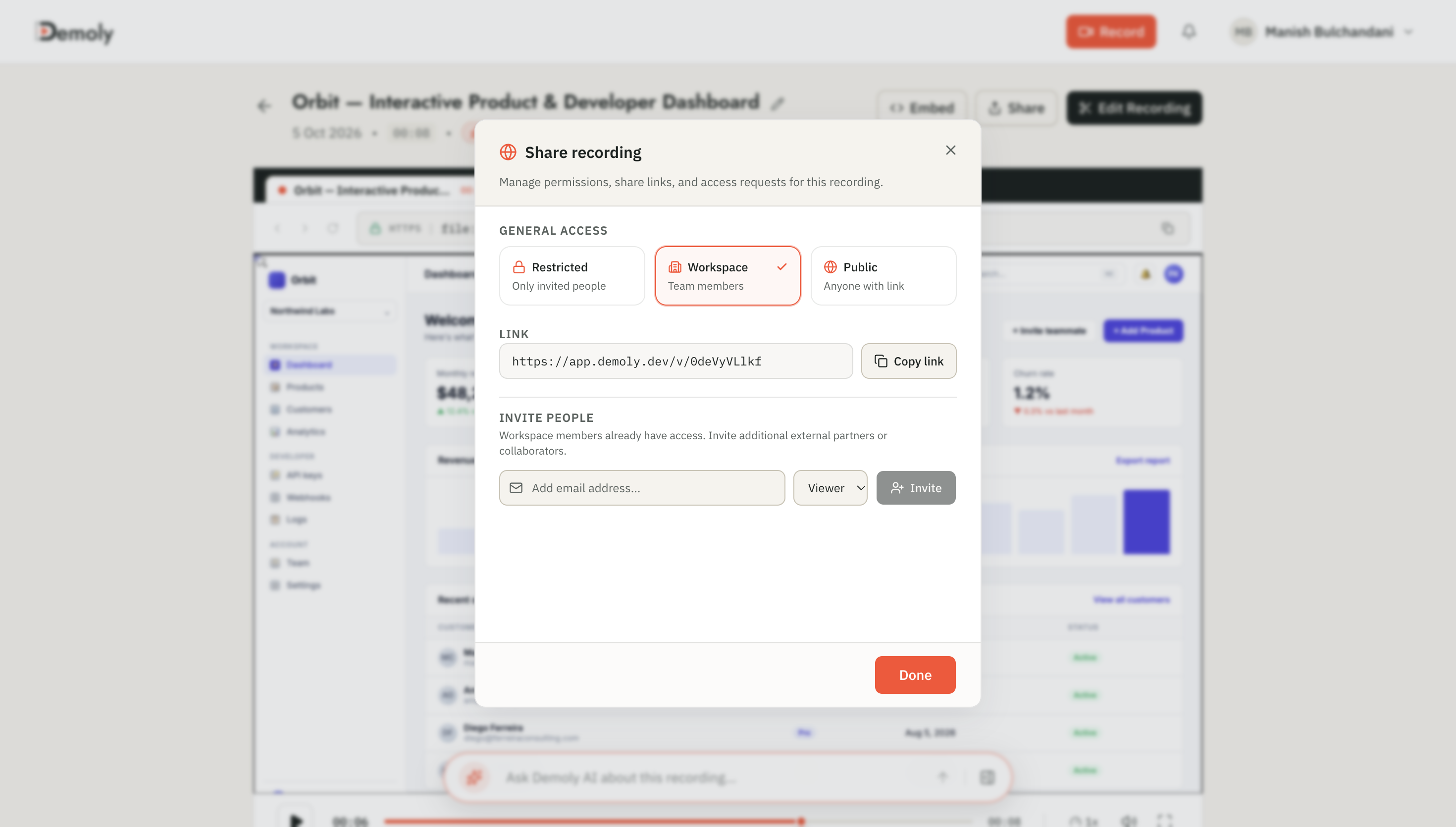
- Frame-Level Canvas Redaction: Mask client API keys, staging passwords, and sensitive production data directly in the browser canvas before generating a shareable link.
- Zero-Friction Access: Share walkthroughs using browser-ready links that require no software downloads or client seat logins, making them ideal when evaluating the best Loom alternatives for client handoffs.
Practical Next Steps
Transitioning your distributed agency to asynchronous communication begins with small, repeatable habit changes. Start by replacing your next weekly client status meeting with a modular, three-minute visual walkthrough and a clear feedback form.
Establish standardized timezone handoff briefs across your engineering and design teams to prevent progress stalls. As your team masters async workflows, evaluate our comprehensive review of the best Loom alternatives for client handoffs and study how agency founders cut post-launch client support hours to protect your agency margins.
Frequently asked questions
Commonly asked questions about this article.
01•What is the ideal response window for asynchronous agency communication?
Most distributed teams operate on a three to four-hour response window during regional working hours, with a firm twenty-four-hour ceiling for cross-timezone inquiries.
02•When should a distributed agency switch from async communication to a live call?
Escalate to a live call when a written discussion exceeds two exchanges without resolution, when addressing interpersonal friction, or during urgent production outages.
03•How do you keep clients accountable to asynchronous review windows?
Include explicit review timelines in project statements of work, stating that client feedback received after forty-eight hours automatically moves milestone delivery dates.
04•How can teams prevent knowledge silos in remote agency settings?
Enforce public project channels for all task-related discussions and document verbal call outcomes directly on project cards within thirty minutes.
05•Do clients need special accounts to review Demoly async walkthroughs?
No, clients can watch, search, and comment on Demoly walkthroughs directly in any modern web browser without creating accounts or downloading extensions.
Demoly Team
Contributor
Related Dispatches
View all dispatches →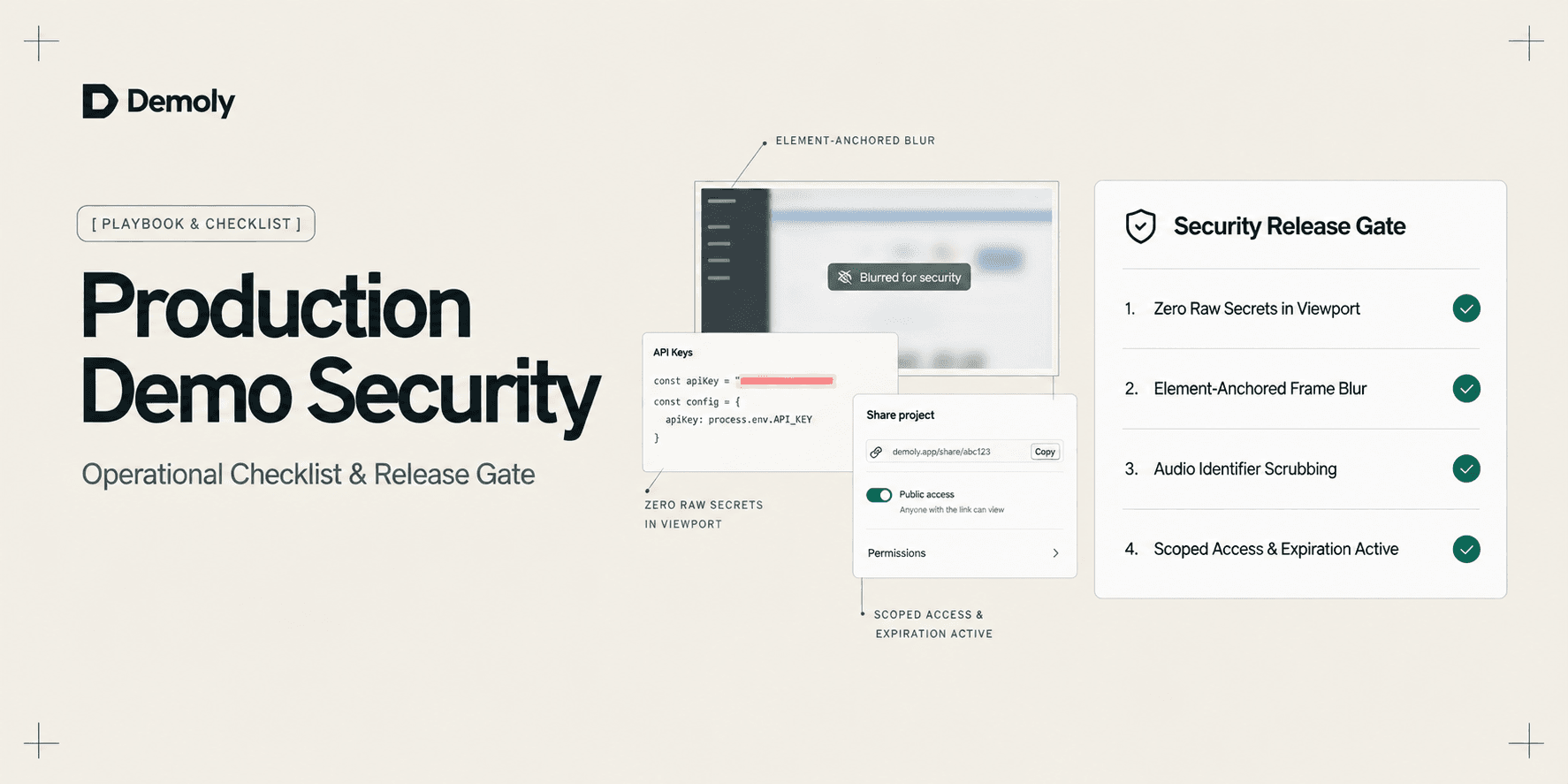
A Security Checklist for Sharing Demos of Live Production Environments
Prevent credential leaks, PII exposure, and compliance violations. Use this operational security checklist to safely record and share demos of live production environments.
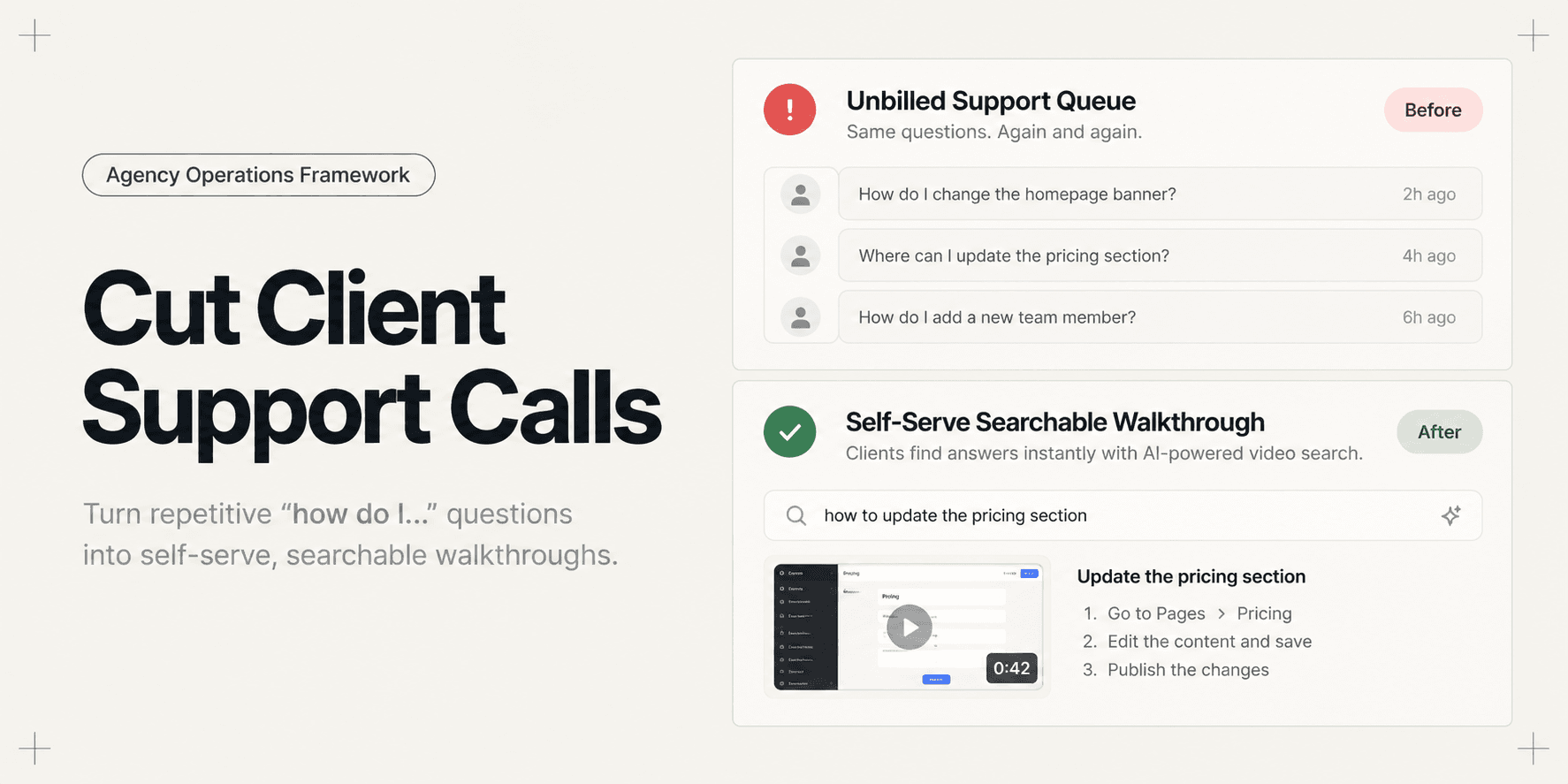
How to Cut Post-Launch Client Support Calls by 70%
Post-launch client questions drain agency profitability through unbilled support hours. Learn an operational playbook to deflect up to 70% of repetitive support calls using searchable video handovers.
How Implementation Consultants Package a Rollout for a New Client
Learn how enterprise implementation consultants package software rollouts into modular, AI-searchable walkthroughs that eliminate post-go-live hypercare calls.
Try Demoly for your team
Create branchable, interactive demo recordings and deliverables in minutes with zero friction.