Scribe Pricing: Is Pro Worth It for Small Teams?
An independent pricing audit of Scribe plans, seat economics, desktop capture paywalls, and whether Scribe Pro delivers real ROI for small teams.
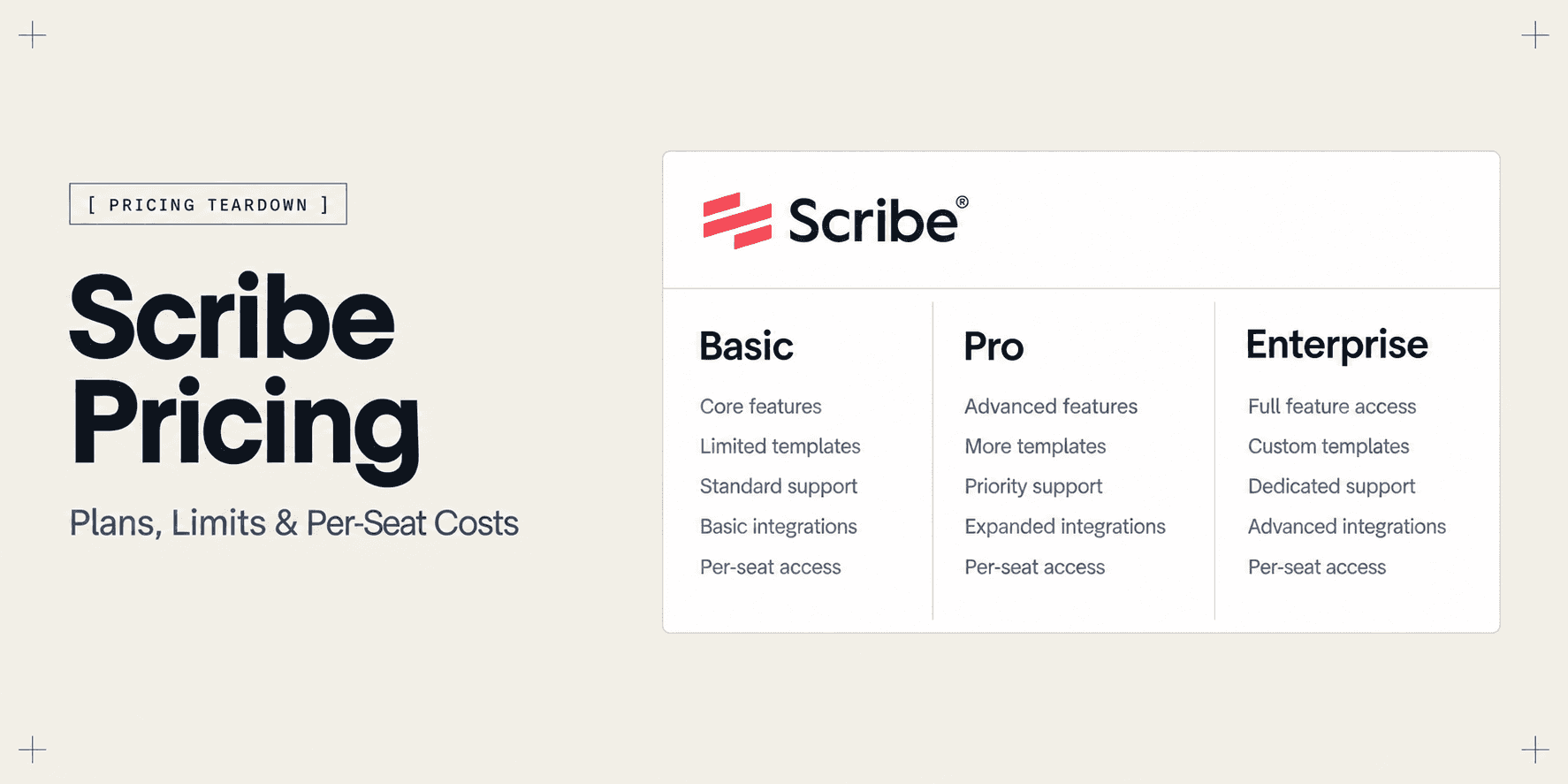
Scribe Pricing: Is Pro Worth It for Small Teams?
Scribe is one of the most popular tools for automatically turning clicks into written step-by-step guides, but its pricing structure can quickly become confusing once you move past the free tier. Between solo user licenses, a mandatory five-seat minimum on team plans, and critical features like desktop capture locked behind paywalls, small teams often struggle to calculate their true software expenditure.
The core purchasing question is straightforward: does upgrading to Scribe Pro deliver enough tangible time savings for a lean team to justify the recurring cost, or does the per-seat licensing model force you to pay for unused capacity?
This independent pricing audit examines Scribe's verified tiers, explains the technical thresholds that trigger upgrades, and helps you decide whether Scribe fits your operational budget.
Scribe Pricing at a Glance
Scribe organizes its packaging into four primary tiers: a free Basic plan, a single-user Pro Personal plan, a collaborative Pro Team plan with a mandatory seat minimum, and custom Enterprise contracts. The comparison table below highlights current pricing, operational caps, and core technology inclusions.
Evaluation Criteria | Basic (Free) | Pro Personal | Pro Team | Enterprise |
|---|---|---|---|---|
Monthly Billing | $0 | $29 / user / month | $15 / user / month | Custom quote |
Annual Billing | $0 | $23 / user / month ($276/yr) | $12 / user / month ($144/user/yr) | Custom quote |
Minimum Seat Commitment | 1 user | 1 user | 5 users ($60–$75/month minimum) | Custom seat volume |
Capture Environment | Web browser only (Chrome/Edge) | Web browser and desktop apps | Web browser and desktop apps | Web browser and desktop apps |
Sensitive Data Masking | None (manual screenshot editing) | Smart Blur automated PII redaction | Smart Blur automated PII redaction | Enterprise-wide auto-redaction rules |
Branding & Export Options | Scribe branding, PDF & web links | Custom branding, HTML, Markdown, PDF | Team branding, HTML, Markdown, PDF | Custom domains, SSO, compliance exports |
(Note: Pricing and plan terms are subject to vendor updates.)
Scribe Pricing Plans
1. Basic (Free)
- Price: $0 forever.
- Key features: Browser extension capture for Chrome and Edge, auto-generated sequential screenshots with click markers, unlimited web guides, basic text editing, and sharing via direct web links or standard PDF exports.
- Important limits: Restricted exclusively to browser-based web applications, no desktop software recording, no automated redaction or blur tools, and mandatory Scribe branding on all shared documents.
- Who it is best for: Individual operators, bootstrapped founders, and internal teams documenting basic web workflows without client-facing branding requirements.
2. Pro Personal
- Price: $29 per month billed monthly, or $23 per month billed annually ($276 per year).
- Key features: Full desktop application recording for macOS and Windows, Smart Blur automated sensitive data redaction, screenshot cropping and markup, custom logo integration, removal of Scribe watermarks, and exports to Markdown, HTML, and Confluence.
- Important limits: Strictly a single-user account; does not include shared team folders, central administration, or collaborative editing workspaces.
- Who it is best for: Solo technical writers, independent consultants, and freelance operators who need to document desktop apps or redact client credentials without paying for multiple seats.
3. Pro Team
- Price: $15 per user per month billed monthly ($75/month minimum), or $12 per user per month billed annually ($60/month billed annually, or $720 per year minimum).
- Key features: Everything in Pro Personal, plus centralized team workspaces, shared document repositories, unified company branding templates, user access controls, and collaborative guide management.
- Important limits: Enforces a rigid five-seat minimum commitment; a team with only two or three document creators must still purchase five licenses.
- Who it is quick for: Operations hubs, customer support teams, and digital agencies with five or more active creators who produce process documentation continuously.
4. Enterprise
- Price: Custom quote (typically requiring annual five-figure commitments based on seat count and governance scope).
- Key features: Everything in Pro Team, plus Single Sign-On (SAML SSO), automated user provisioning via SCIM, directory integrations, centralized security audit logs, compliance support for SOC 2 and HIPAA, and dedicated account management.
- Important limits: Requires formal procurement review, annual commercial contracts, and sales-assisted onboarding.
- Who it is best for: Mid-market organizations and enterprise departments with strict legal compliance, security review, and IT identity governance mandates.
What Do You Actually Get With Each Scribe Plan?
Understanding the operational differences across Scribe plans requires looking beyond the feature bullet points to see where workflows encounter friction.
Desktop Application Recording vs Browser-Only Capture
The primary technical boundary between Basic and Pro is where capture takes place. The free Basic plan functions only inside Chromium browsers. If your workflow takes place entirely within web portals like HubSpot, Shopify, or WordPress, the free extension captures click events without issue.
The free tier breaks down as soon as a procedure crosses into desktop software. If your workflow requires switching into Figma, VS Code, a local terminal, Postman, or desktop productivity apps, Scribe Basic halts. Upgrading to Pro unlocks the desktop recorder for macOS and Windows, allowing you to document cross-platform workflows across multiple active application windows.
Sensitive Data Redaction with Smart Blur
When recording internal documentation or client training materials, private credentials, customer emails, API keys, and financial metrics frequently appear on screen. On the free Basic tier, Scribe includes no automated masking tools. Users must manually delete individual screenshot steps or download images into external photo editing software to apply manual blurs before re-uploading them.
Upgrading to Pro unlocks Smart Blur, an automated redaction system that scans captured screenshots for personally identifiable information (PII), credit card digits, and email addresses. Creators can also highlight custom interface regions to blur them with a single click. For teams handling live client accounts, this capability alone often justifies the upgrade cost by preventing sensitive leaks.
The 5-Seat Minimum Team Tax
The pricing gap between Pro Personal and Pro Team creates significant friction for small groups. While Pro Team advertises a lower per-seat rate of $12 to $15 per month compared to Pro Personal's $23 to $29 per month, it imposes a mandatory five-seat minimum.
This policy penalizes small organizations with two, three, or four document creators:
- Two creators on Pro Personal: $46 to $58 per month ($552 to $696 per year), with the disadvantage of separate unlinked personal accounts.
- Two creators moving to Pro Team: Must purchase five seats, pushing total cost to $60 per month billed annually ($720 per year) or $75 per month billed monthly ($900 per year).
- Three creators moving to Pro Team: Still paying for five seats, leaving two unused licenses sitting idle on the invoice.
Only when your organization reaches five active documentation creators does the Pro Team tier deliver genuine unit-economic savings over individual Pro licenses.
Custom Branding and Export Freedom
On the free plan, every document you share contains Scribe badges, promotional upgrade prompts, and a mandatory hosted URL. Export options are limited to basic PDF files and shared web links.
Pro removes all Scribe branding and allows teams to insert their own agency or corporate logos. In addition, Pro unlocks advanced export pipelines, allowing you to export guides as clean Markdown, raw HTML embeds, or direct Confluence pages. For service providers delivering client-facing manuals, white-label presentation is essential to maintain professional authority.
Is Scribe's Free Plan Enough?
Scribe's Basic plan is one of the most generous free tiers in the process documentation category because it does not limit the number of guides you can create.
If your team consists of one or two people who only need to record straightforward browser procedures for internal reference, the free plan is frequently sufficient. You can document standard browser tasks, compile them into shareable links, and embed them into internal Notion or Slack channels without spending money.
However, the free plan stops being practical when three common conditions occur:
- You must document desktop software: The moment an operator needs to show a setting in a local application or desktop client, the browser extension cannot help.
- You handle sensitive client environments: Manually redacting dozens of screenshots per guide in third-party graphic apps consumes hours of non-billable labor.
- You deliver assets to external paying clients: Sharing documentation that prominently displays vendor marketing and upgrade banners undermines agency professionalism.
When any of these three operational requirements arise, small teams are forced to evaluate the paid tiers.
Which Scribe Plan Should You Choose?
- Choose Basic ($0) if you only need to document browser-based tools for internal staff and do not mind standard Scribe branding or manual privacy management.
- Choose Pro Personal ($23 to $29/month) if you are a solo consultant, freelancer, or single technical operator who needs desktop software recording, Smart Blur privacy masking, and custom PDF exports.
- Choose Pro Team ($12 to $15/seat/month, $60 to $75/month minimum) if your organization has five or more active team members who build documentation together and require a shared workspace.
- Choose Enterprise (Custom quote) if your organization requires SAML single sign-on, SCIM user provisioning, centralized IT audit logging, or strict healthcare and financial compliance guarantees.
Is Scribe Worth It?
Whether Scribe Pro provides positive return on investment depends on your team size and whether static screenshots align with your end-user workflow:
- For solo operators and freelance consultants: Pro Personal ($23 to $29 per month) delivers immediate ROI. The ability to document desktop software and automatically redact client data during client onboarding can save 3 to 5 hours of manual documentation work every week.
- For small teams of two to four people: Scribe Pro is harder to justify economically due to the five-seat floor. Paying $720 to $900 annually for two or three creators creates seat friction. Many lean teams either assign one person to a Pro Personal account as the designated documentation author or explore tools without arbitrary seat minimums.
- For teams with five or more active documentation authors: Pro Team offers strong economic value. The $12 per user per month annual rate is competitive with other knowledge base software, and shared templates keep company operating procedures consistent.
- For client software handovers and web app walkthroughs: Scribe's core format has inherent functional boundaries. Scribe outputs static, linear screenshot manuals. A simple five-minute browser workflow can easily generate 40 to 60 separate screenshot tiles. When clients receive a massive document of static images, they often scan past critical nuances or reach out to your team anyway. Furthermore, whenever your development team updates an interface, all 40 static screenshots become obsolete, creating continuous maintenance debt.
Scribe Pricing vs Alternatives
When evaluating Scribe's pricing against your team's budget, considering alternative product formats helps identify where your software spend delivers the highest return:
- Alternative written SOP builders: If you prefer static click-by-click screenshot guides but want to compare per-seat economics, tools like Tango offer competitive feature tiers for written step capture. For a comprehensive breakdown of competing documentation software, review our guide on Best Scribe Alternatives for Step-by-Step Guides.
- Developer QA and engineering bug logging: If your primary operational goal is documenting software bugs and technical defects for engineers, browser-focused QA tools like Jam.dev capture console logs, network payloads, and device specs alongside screen video.
- Interactive client handovers and web app walkthroughs: If you deliver custom software, web applications, or digital client deliverables, platforms like Demoly provide interactive, browser-based walkthroughs with built-in AI search. Instead of forcing clients to read through 50 static screenshots or scrub a flat video timeline, recipients type natural-language questions into an AI search drawer to jump immediately to the exact interface action, while sensitive production credentials are permanently redacted at the canvas layer.

Frequently asked questions
Commonly asked questions about this article.
01•Is Scribe completely free to use?
Yes, Scribe Basic is free forever. It includes unlimited guides and screenshot capture within Chrome and Edge, but excludes desktop app recording and automated sensitive data redaction.
02•What is the price difference between Scribe Pro Personal and Pro Team?
Pro Personal costs $29 monthly ($23 annually) for a single user, while Pro Team costs $15 monthly ($12 annually) per user but enforces a strict five-seat minimum commitment.
03•Does Scribe enforce a 5-seat minimum on Pro Team?
Yes, Pro Team requires purchasing at least five creator licenses, establishing an annual minimum investment of $720 billed annually or $75 per month billed monthly.
04•Can external clients view Scribe guides for free?
Yes, external viewers and clients can view, complete, and bookmark shared Scribe guides through web links or exported PDF documents without paying for a license.
05•Can you blur sensitive client data on Scribe's free plan?
No, automated Smart Blur is exclusive to Pro and Enterprise tiers. Free Basic users must manually delete sensitive screenshot steps or edit images in external software.
Demoly Team
Contributor
Related Dispatches
View all dispatches →
Guidde Pricing: Complete Cost Breakdown and Alternatives
An independent pricing audit of Guidde plans, creator seat costs, Free vs Pro vs Business limits, AI voice tiers, and whether upgrading delivers real ROI.
Tango Pricing: Free vs Pro Plans Explained
An independent pricing audit of Tango plans, seat costs, Free vs Pro limits, redaction tiers, and whether upgrading to Tango Pro makes financial sense.
A Security Checklist for Sharing Demos of Live Production Environments
Prevent credential leaks, PII exposure, and compliance violations. Use this operational security checklist to safely record and share demos of live production environments.
Try Demoly for your team
Create branchable, interactive demo recordings and deliverables in minutes with zero friction.