Best Tool for Freelance Client Handovers
Compare the best tools for freelance client handovers. Evaluate interactive video AI, client portals, automated SOPs, visual punch lists, and async video to eliminate unbilled post-launch support.
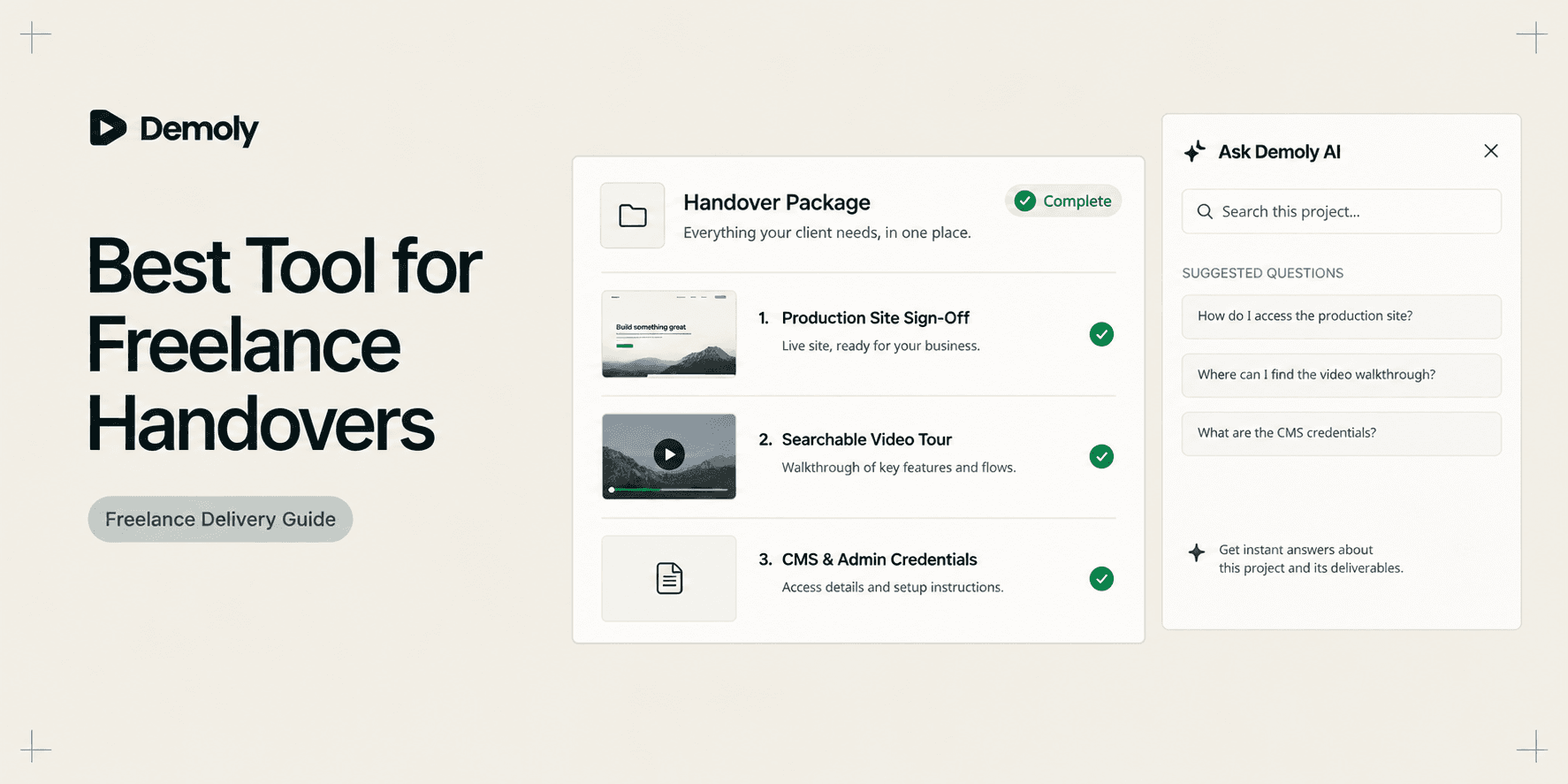
Best Tool for Freelance Client Handovers
Delivering a finished website, custom web application, or Shopify store is the most dangerous phase of any freelance project. Once you deploy production code, your primary goal is collecting the final payment and moving on to your next billable client. Yet for most independent creators and boutique developers, project handover triggers an endless stream of unbilled support questions, frantic Slack pings, and requests for emergency walkthrough calls.
Traditional handover methods break down because solo operators lack the support bandwidth of large agencies. If you schedule a live Zoom walkthrough, the client nods politely, forgets the steps by the next morning, and emails you two weeks later asking how to edit their hero banner. If you write a thirty-page Google Doc or Notion wiki, the client skims it once and never opens it again. Sending an unindexed twenty-minute screen recording is just as ineffective, forcing clients to scrub back and forth along a timeline to find a single setting.
A profitable freelance handover is not a live meeting or a raw file export. It is a self-serve, interactive reference asset that empowers your client to manage their site independently. Choosing the right software protects your boundaries, eliminates unpaid post-launch troubleshooting, and leaves clients feeling confident in your work.
What Makes a Good Freelance Client Handover Tool?
Evaluating software for freelance handovers requires focusing on criteria that directly affect your delivery timeline and post-launch overhead:
- Zero-Friction Client Access: Independent clients should never have to create paid accounts, download desktop software, or install browser extensions just to review their deliverables. If access requires friction, clients will bypass your documentation and message you directly.
- Instant Workflow Searchability: Clients rarely watch complete demonstrations end-to-end. Your handover tool must let them search for specific administrative tasks, such as modifying navigation menus or updating payment webhooks, and jump straight to the exact visual step.
- Sensitive Data Redaction: Walkthroughs frequently expose staging database credentials, test payment tokens, or client customer records. The platform must allow permanent redaction of sensitive keys before generating a public share link.
- Rapid Production Speed: Freelancers cannot spend five unbilled hours writing elaborate manuals. The capture tool should record real workflows in a single pass without demanding complex manual assembly or video editing.
- Clear Boundary Protection: A handover asset must establish an objective record of delivered work. When clients can clearly verify how features function, you prevent scope creep and secure final milestone sign-off faster.
Best Tools for Freelance Client Handovers at a Glance
Tool | Primary Handover Role | Core Capture Format | Client Searchability Layer | Sensitive Data Controls | Client Access Model | Pricing Model |
|---|---|---|---|---|---|---|
Demoly | Interactive, AI-searchable async walkthrough packages | Browser DOM and visual action tracking | Natural language queries via Visual and Voice AI | Canvas-layer permanent removal and element blur | Instant browser playback, no client login needed | Free ($0) / Pro at $8/creator/mo |
Notion | Centralized client delivery vaults and resource wikis | Structured text blocks, databases, and media embeds | Workspace keyword and page search | Manual text omission and permission scoping | Free guest access via public or private link | Free tier / Plus at $10/user/mo |
Scribe | Auto-generated click-by-click administrative SOPs | Background browser clicks with annotated screenshots | Document text search and chapter outlines | Automated smart blur for sensitive text fields | Web link viewable in browser or PDF export | Free web tier / Pro at $12–$23/user/mo |
BugHerd | Visual staging reviews, punch lists, and final UAT sign-off | Visual pins on live staging URLs with metadata logs | Task board search and status filter views | Restricted staging environment access | Free client guest commenting without accounts | Paid team plans from $39/mo |
Loom | Casual personal wrap-up clips and milestone check-ins | Standard screen and webcam video stream | Spoken audio transcript keyword search only | Basic post-recording video trim | Browser playback, login needed to leave comments | Free (5-min cap) / Business at $12.50/mo |
1. Demoly: Best for Self-Serve, AI-Searchable Walkthrough Packages
Demoly is an interactive walkthrough platform built specifically for web developers, designers, and software implementation specialists. Instead of exporting a flat video file that traps information on an unindexed timeline, Demoly captures browser workflows and indexes both spoken dialogue and on-screen interface actions.

Why It Works for Freelance Client Handovers
Solo freelancers lose dozens of unbilled hours answering the same basic questions weeks after a project wraps up. Demoly packages custom websites, Webflow builds, and Shopify stores into interactive guides that clients can query on demand. When your client wonders how to update a homepage collection three weeks after launch, they open the walkthrough and type their question into Demoly's AI search drawer.
Because Demoly indexes silent cursor clicks, dropdown toggles, and form inputs alongside voice transcripts, the AI generates concise instructions and jumps the client directly to the exact video timestamp. Even if you made an adjustment without narrating it out loud, the action remains fully searchable. Solo creators who adapt principles from our comprehensive guide on the Best Tool for Client Project Handovers use Demoly to deliver agency-grade handovers that permanently cut follow-up support calls.
Strongest Capabilities
- Visual and Voice AI Indexing: Captures spoken narration as well as silent UI clicks, form inputs, and tab navigation across active browser tabs.
- Canvas-Layer Redaction: Excises private staging credentials, customer records, and live API keys permanently at the video canvas layer before link generation.
- Interactive Viewer Utilities: Allows clients to copy code snippets, CSS classes, and URLs directly out of the video player without pausing or typing by hand.
- Zero-Friction Access: Clients can view, query, and search walkthroughs in any browser without registering an account or installing extensions, following the principles detailed in our guide on How to Share a Video Walkthrough Without Requiring a Client Login.
- Non-Destructive Trimming: Enables creators to cut out pauses or mistakes after recording without re-recording the entire take or breaking shared links.
Limitations and Pricing
Demoly is built specifically for browser-based software, web apps, and CMS dashboards. It does not record native desktop applications or system terminal sessions outside the browser, and it is not a multi-track video editor. Demoly offers a Free plan ($0 forever) with unlimited recordings, a 15-minute cap per video, and 5 AI-indexed recordings per month. The Pro tier is $8 per creator per month, unlocking a 30-minute duration cap, unlimited AI-indexed recordings, and unlimited client Q&A, with free viewer access.
2. Notion: Best for Centralized Client Portals and Asset Repositories
Notion operates as a centralized project vault where freelancers can assemble contracts, final invoice receipts, third-party vendor links, and documentation into a single branded portal.
Why It Works for Freelance Client Handovers
A clean freelance handover often requires delivering far more than a single video. Clients need access to brand font licenses, staging credentials, DNS records, domain registrar notes, and Figma design files. Notion allows you to build a structured client dashboard where all these assets live in organized databases and clean toggle lists, giving clients an authoritative home base for their build.
Strongest Capabilities
- Flexible Page Hierarchy: Organizes deliverables, sitemaps, and deployment checklists into clean tables, boards, and nested subpages.
- Media Embedding: Embeds interactive walkthrough links, prototype frames, and video clips directly inside relevant documentation pages.
- Customizable Client Dashboards: Lets you design high-end, polished delivery hubs that match your studio branding.
- Permission Scoping: Allows you to share pages publicly via web link or invite specific client stakeholders as workspace guests.
Limitations and Pricing
Notion documentation is entirely manual to produce. Writing extensive setup instructions and formatting database entries consumes significant unbilled freelance hours. Furthermore, clients frequently resist reading lengthy text wikis, choosing to message the freelancer directly instead of searching the documentation. Notion offers a robust free tier for individual creators, while paid Plus plans cost $10 per user per month billed annually ($12 monthly).
3. Scribe: Best for Click-by-Click Administrative SOPs
Scribe takes a document-first approach to software handovers by tracking mouse clicks in the background and automatically converting them into step-by-step written guides with annotated screenshots.
Why It Works for Freelance Client Handovers
Many freelance clients simply need clear instructions for repetitive administrative tasks, such as creating a new blog post, managing Shopify product variants, or adding a team member in Webflow. For these linear tasks, clients often prefer quick, scannable written instructions over watching a video. Scribe lets you execute the task once while it automatically compiles a clean visual SOP.
Strongest Capabilities
- Automated Screenshot Generation: Captures user clicks and form entries, automatically cropping screenshots and highlighting UI elements with click badges.
- Modular Step Editing: Lets you update a single screenshot or rewrite an instruction when a client interface changes without recreating the entire guide.
- Export Flexibility: Exports completed guides as PDFs, Markdown, or HTML, and embeds cleanly into client Notion portals.
- Smart Blur: Automatically detects and blurs sensitive personal data and numbers across recorded screenshots.
Limitations and Pricing
Scribe records discrete click paths without audio commentary or video context. It cannot convey the strategic reasoning behind complex architectural decisions, and it cannot answer client questions outside the recorded linear path. Scribe offers a free basic plan for web browser recording, while Pro plans start at $12 to $23 per user per month billed annually ($29 monthly) to capture desktop software.
4. BugHerd: Best for Visual Staging Reviews and Punch-List Sign-Off
BugHerd is a visual feedback and punch-list coordination tool that places a sticky feedback layer directly over live staging URLs, allowing clients to point and click to submit review items.
Why It Works for Freelance Client Handovers
The final days before project delivery are often paralyzed by disorganized client feedback scattered across WhatsApp, Slack, and email threads. When clients send vague feedback like "the header looks broken," developers waste hours attempting to reproduce the issue. BugHerd attaches directly to your staging site, enabling clients to pin feedback directly to HTML elements while automatically logging browser version, OS, and screen resolution.
Strongest Capabilities
- In-Context Visual Tagging: Allows non-technical clients to click anywhere on a live web page to pin revision requests directly to specific elements.
- Automated Technical Telemetry: Logs browser type, operating system, and screen dimensions with every feedback pin to speed up bug fixes.
- Visual Kanban Board: Organizes incoming client feedback into manageable columns for backlog, in-progress, and resolved tasks.
- Client Sign-Off Verification: Provides a clear paper trail of resolved tasks, making it easy to confirm that scope requirements are met before final invoice payment.
Limitations and Pricing
BugHerd is exclusively an issue collection and UAT platform. It provides no functionality for long-term client documentation, software walkthroughs, or post-launch knowledge bases. Once launch tickets are resolved and final sign-off is achieved, its utility ends. BugHerd plans start at $39 per month billed annually ($49 monthly) for small teams, with unlimited guest client commenters.
5. Loom: Best for Personal Wrap-Up Notes and Milestone Check-Ins
Loom is the industry benchmark for casual asynchronous screen and webcam recording, making it ideal for high-touch personal communication and celebratory project handoffs.
Why It Works for Freelance Client Handovers
Freelancing is a relationship-driven business. Delivering a project should feel like an exciting milestone, not a cold transactional handoff. Recording a two-minute Loom video where your webcam bubble sits in the corner allows you to thank the client personally, celebrate the launch, and provide a high-level orientation of the project deliverables before handing over detailed documentation.
Strongest Capabilities
- Instant Cloud Processing: Uploads and encodes video in the background while recording, generating a shareable link the second you click stop.
- Engaging Presenter Bubble: Keeps your face visible alongside your screen, adding a personal human touch to remote client relationships.
- Full Desktop Capture: Records software outside the browser, including local design files, desktop apps, and system settings.
- Viewer Engagement Alerts: Sends email and browser notifications when the client opens and views your handover message.
Limitations and Pricing
Loom produces flat, unindexed video files that force clients to scrub back and forth along a timeline when trying to locate specific instructions. Because Loom searches rely exclusively on spoken audio transcripts, any configuration step performed silently without vocalization remains unindexed. Loom offers a free Starter plan with a 5-minute video limit, while Business plans cost $12.50 to $15 per creator per month billed annually.
Choosing the Right Tool for Your Freelance Handover Workflow
Every freelance business operates differently. Match your software choice to your deliverable format and how your clients prefer to consume information:
- Pick Demoly if you build custom web apps, Webflow templates, or Shopify sites and need an interactive walkthrough that answers client questions on demand and eliminates unbilled follow-up calls.
- Pick Notion if you need a centralized client delivery hub to organize contracts, brand assets, vendor links, and credentials alongside embedded walkthrough videos.
- Pick Scribe if you need fast, written step-by-step SOPs with annotated screenshots for routine backend administrative tasks.
- Pick BugHerd if you struggle with chaotic client review cycles and need an objective punch-list tool to secure final milestone sign-off on staging sites.
- Pick Loom if you want to record a brief two-minute personal thank-you video to celebrate the launch and orient the client before sharing detailed documentation.
Modern freelance operators frequently combine these complementary formats into a cohesive delivery stack: using BugHerd for final staging sign-off, Notion to house high-level links and credentials, and Demoly to deliver an interactive, AI-searchable walkthrough package that protects your billable hours.
Frequently asked questions
Commonly asked questions about this article.
01•Why do clients continue emailing freelancers after receiving a video handover?
Clients email freelancers because long linear videos force them to guess where specific answers live along a timeline. When scrubbing takes too long, clients default to asking the freelancer directly.
02•How does visual AI search differ from standard audio transcription?
Audio transcription only indexes spoken words, missing actions completed silently. Visual AI indexes button clicks, toggles, and form inputs alongside speech, making unvoiced steps searchable.
03•How can freelancers hide private staging passwords and API keys?
Basic screen recorders rely on post-recording blur effects that can glitch or reveal data during motion. Dedicated platforms like Demoly excise sensitive keys permanently at the video canvas layer before link sharing.
04•Do freelance clients need an account to view and search Demoly walkthroughs?
No. Clients can view, query, and search Demoly walkthroughs directly in any modern browser without registering an account, paying for viewer seats, or installing extensions.
05•How does an interactive handover help freelancers collect final invoices faster?
Interactive handovers provide clear proof of delivered scope and self-serve access to instructions, removing client hesitation and preventing delayed payments caused by minor setup confusion.
Demoly Team
Contributor
Related Dispatches
View all dispatches →
Best Tool for Asynchronous Codebase Walkthroughs
Compare the best tools for asynchronous codebase walkthroughs. Discover how engineering teams replace live Zoom repo tours with AI-searchable video, in-IDE tours, and coupled docs.
Best Tool for Web App Onboarding Walkthroughs
Compare the best tools for web app onboarding walkthroughs. Evaluate interactive video AI, in-app product tours, sandbox demos, and automated SOPs to drive user activation.
How Implementation Consultants Package a Rollout for a New Client
Learn how enterprise implementation consultants package software rollouts into modular, AI-searchable walkthroughs that eliminate post-go-live hypercare calls.
Try Demoly for your team
Create branchable, interactive demo recordings and deliverables in minutes with zero friction.