Best Tango Alternatives for Process Documentation
Best Tango Alternatives for Process Documentation: A detailed evaluation of top SOP and workflow documentation tools for software teams.

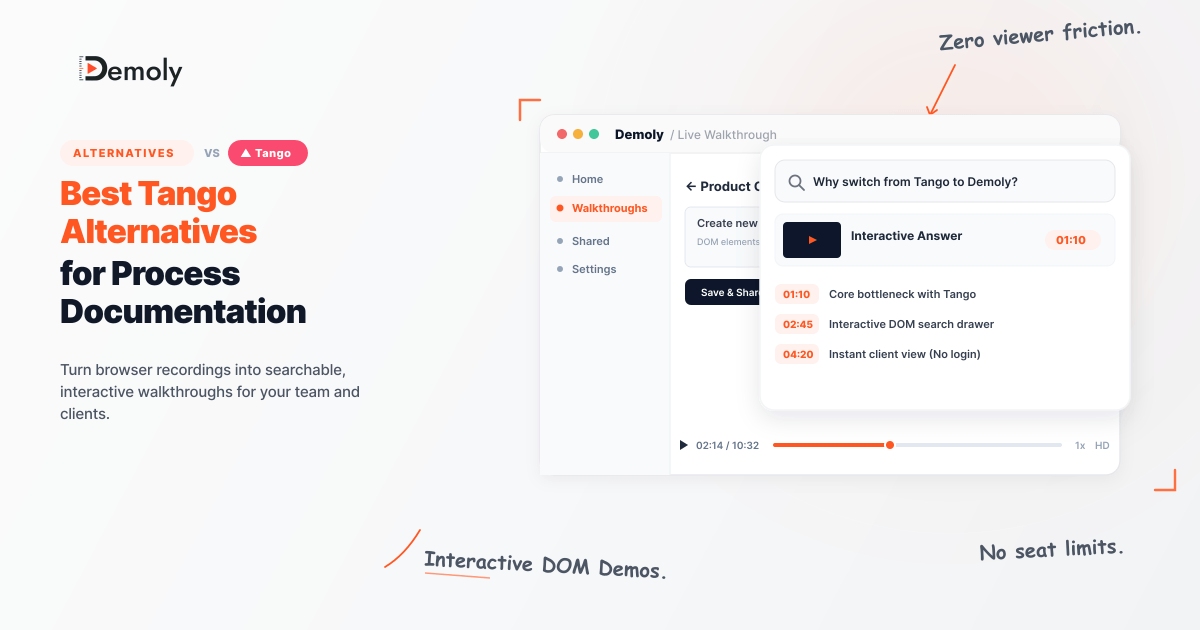
Best Tango Alternatives for Process Documentation
Introduction
Modern engineering, product, and agency operations teams operate at an unprecedented cadence of continuous deployment. Yet, process documentation remains trapped in a legacy paradigm: static Standard Operating Procedures (SOPs) reliant on screen-grabbed images, text-heavy PDFs, and brittle step lists. As SaaS platforms push daily frontend updates, these static guides decay almost immediately. A shifted DOM element or updated UI route invalidates screenshots, forcing technical leads, QA engineers, and customer success managers to burn valuable engineering hours manually re-capturing workflows and rewriting guides. Furthermore, static images fail to capture the subtle nuances of complex web applications, such as dynamic dropdown state changes, API token exchanges, and asynchronous component rendering. To maintain operational velocity and eliminate onboarding friction, technical teams require modern process documentation platforms that capture rich DOM event streams, index audio narration, and allow zero-friction client distribution.
TL;DR
Demoly: Best for interactive DOM-level walkthroughs, visual click indexing, and instant client handovers without user licenses.
Scribe: Best for rapid static step-by-step PDF screenshots.
Guidde: Best for AI video generation with synthetic voiceovers.
Arcade: Best for marketing-focused interactive product tours.
Tango: Best for basic screenshot-based workflow capture.
Visual Reference: [Infographic contrasting static screenshot documentation decay versus interactive, searchable DOM walkthroughs]
Why Operations & Product Teams Outgrow Tango
While Tango pioneered browser extension-based click capture, scaling technical teams quickly hit operational boundaries that stall productivity and introduce security risks.
1. Broken Screenshots After UI Updates: Tango relies primarily on static raster screenshot capture triggered by click events. When web applications undergo minor CSS alterations, DOM refactors, or feature updates, Tango's static guides instantly become visually obsolete. Teams must manually re-record entire workflows or patch individual screenshots frame by frame, resulting in significant administrative overhead across multi-product environments.
2. Unindexed Step Sequences without Voice Search: Tango records linear visual sequences but lacks deep audio-visual search capabilities. Technical documentation often requires explaining why a specific configuration exists alongside how to execute it. Without natural-language query capabilities over combined voice narration and interactive DOM events, engineers and clients waste critical minutes manually scrolling through multi-step guides to locate a single setting.
3. Manual Redaction Burden & Security Exposure: Capturing staging environments, internal admin portals, or client tenants inevitably exposes sensitive authorization headers, bearer tokens, PII, and API keys. Tango's automated blurring features often miss sensitive dynamic values or require tedious frame-by-frame manual redaction. In technical agency operations, a single unredacted API key in an onboarding guide poses a severe security hazard.
What Technical Teams Should Look for in SOP & Documentation Tools
Evaluating documentation tools for technical workflows requires analyzing underlying capture architectures rather than superficial UI features. High-performing engineering and customer success departments evaluate platforms against four core technical pillars:
DOM-Level Event Tracking: Superior tools capture direct browser Document Object Model (DOM) node coordinates, CSS selectors, and event listeners rather than purely capturing raw bitmap pixels. This ensures exact interactive reproduction and deep semantic understanding of the target application.
Natural-Language Timestamped Search: Technical viewers rarely want to consume a 10-minute guide from start to finish. Documentation platforms must ingest both audio narration and visual action trees into vector indexes, allowing users to query in plain text (e.g., "Where do I input the client secret?") and instantly jump to the exact execution timestamp.
Frame-Layer Redaction: Security compliance requires automated, permanent canvas-layer masking of secret keys, auth tokens, and client credentials prior to data rendering or cloud persistence.
Zero-Friction Client Access: Technical agencies and SaaS onboarding teams cannot force external stakeholders to sign up for paid seats or manage credentials just to view an interactive SOP. Unrestricted, secure viewer access is essential for seamless handovers.
The Best Tango Alternatives for Process Documentation (Compared)
1. Demoly: Best for Interactive DOM Walkthroughs & AI Natural-Language Search
Visual Reference: [Demoly interactive player showing live DOM element highlights and AI natural-language search query drawer]
Overview and Core Workflow
Demoly represents a fundamental architectural shift in workflow documentation. Purpose-built for technical product managers, SaaS customer success leads, QA engineers, and agency ops managers, Demoly captures browser and web-app workflows at the DOM event level while simultaneously indexing visual click streams and voice narration. Rather than outputting flat pixel images or static PDFs, Demoly generates an interactive, lightweight web execution wrapper.
During capture, Demoly records mouse coordinates, DOM element attributes, network interaction triggers, and developer voice overlay in real time. When shared, end users receive an interactive walkthrough experience that mirrors live application behavior. Viewers can interact directly with visual target highlights, inspect DOM element contexts, and ask natural-language questions via Demoly's embedded AI engine.
For instance, a client viewing an enterprise onboarding guide can open the AI search drawer and ask, "How do I configure custom webhook endpoints?" Demoly immediately parses the indexed audio and DOM tree, returning an exact timestamp jump point with highlighted screen coordinates. Furthermore, client handovers are completely frictionless: viewers do not require paid account licenses, registration walls, or software downloads.
Where It Beats Tango
Interactive DOM Click Indexing: Instead of capturing flat static pixels that break upon UI refresh, Demoly records live browser element coordinates, DOM hierarchies, and visual click metadata for high-fidelity interactive playback.
Natural-Language AI Search: Integrates semantic audio and DOM indexing. Viewers query walkthroughs naturally (e.g., "How do I set up webhooks?") and jump directly to exact interactive timestamps.
Canvas-Layer Permanent Redaction: Implements zero-trust canvas-layer redaction that permanently masks API keys, bearer tokens, and staging credentials directly on the client side before content hits storage.
Where It Falls Short for Tech Teams
Desktop Application Scope: Focuses strictly on web applications and browser-based workflows rather than native operating system software or desktop GUI applications.
Pricing and Seat Structure
Free Plan: $0/month, 15-minute cap per recording, 5 AI-enabled recordings/month, free unlimited client viewers.
Pro Plan: $8/creator/month, 30-minute cap per recording, unlimited AI-enabled recordings, free unlimited client viewers.
2. Scribe: Best for Instant Static Step-by-Step Web & Desktop PDF Guides
Visual Reference: [Scribe browser extension recording flow automatically generating a numbered step-by-step document]
Overview and Core Workflow
Scribe is a widely adopted process capture tool designed to generate static, text-and-screenshot step-by-step documentation automatically. Operating as a browser extension or native desktop application, Scribe listens for user click events, keystrokes, and navigation changes. Once a recording session is toggled off, Scribe aggregates the captured actions into a sequential list of written steps accompanied by automatically cropped screenshots with highlighted click indicators.
Users can edit step text, reorder items, and export guides into Markdown, HTML, or PDF formats. For quick internal SOP creation where static, document-oriented deliverables are required across hybrid desktop-web workflows, Scribe offers a streamlined experience.
Where It Performs Well
Multi-App Desktop Capture: Captures cross-application workflows seamlessly across native desktop software and web browser tabs.
Auto-Generated Screenshots: Automatically crops and highlights exact click coordinates into numbered visual step guides.
Where It Falls Short for Tech Teams
Static Output Limitations: Lacks interactive DOM-level execution, live element rendering, and voice-enabled AI vector search capabilities necessary for complex web application handoffs.
Pricing and Seat Structure
Basic Plan: Free for individual web-only capture.
Pro Team Plan: Starts at $12/user/month (billed annually) for desktop capture and custom branding. (Note: Competitor pricing is subject to vendor updates.)
3. Guidde: Best for Generative AI Video SOPs with Synthetic Audio
Visual Reference: [Guidde editor timeline displaying AI voice synthesis options and video step callouts]
Overview and Core Workflow
Guidde approaches process documentation from a video-first perspective, combining screen capture with generative AI text-to-speech narration. Designed for customer success and support teams seeking to produce polished video SOPs without recording human voiceovers, Guidde converts recorded browser actions into multi-scene video clips.
Creators capture browser workflows, after which Guidde auto-generates step descriptions and applies synthetic AI audio narration available in multiple voice profiles and languages. The built-in timeline editor allows creators to trim clip segments, insert callouts, and apply automated voice synthesis for quick distribution.
Where It Performs Well
Multi-Language AI Voiceovers: Generates synthetic, professional voice narration across 40+ languages for international teams.
Video Editing Suite: Provides built-in timeline trimming, text callout layers, and automated video transitions.
Where It Falls Short for Tech Teams
Linear Video Scrubbing: Technical users must scrub through linear video timelines rather than querying live DOM elements or jumping via interactive natural-language search vectors.
Pricing and Seat Structure
Free Plan: Limited video exports with watermarking.
Business Plan: Starts at $16/user/month for HD export and AI voice features. (Note: Competitor pricing is subject to vendor updates.)
4. Arcade: Best for Interactive Marketing Product Tours
Visual Reference: [Arcade interactive demo builder showcasing branching paths and callout hotspots]
Overview and Core Workflow
Arcade focuses on creating polished, interactive product demos optimized for marketing websites, sales collateral, and product-led growth (PLG) landing pages. Arcade captures browser screens as sequential step frames, allowing creators to place interactive hotspots, callout banners, media embeds, and synthetic audio clips.
The workflow emphasizes visual customization, enabling design teams to match typography, button styling, and color palettes to corporate brand guidelines. Arcade also supports branching user flows, letting prospects choose their own path through a marketing demo.
Where It Performs Well
Branching Interactive Hotspots: Enables complex, decision-tree product tours that engage prospective sales leads on marketing pages.
Where It Falls Short for Tech Teams
Heavy Production Overhead: Optimized for high-polish marketing assets rather than rapid, low-friction technical SOP generation and API-level workflow documentation.
Pricing and Seat Structure
Free Tier: Basic interactive tours with Arcade branding.
Growth Plan: Starts at $32/user/month for advanced branching and custom branding. (Note: Competitor pricing is subject to vendor updates.)
5. Tango: Best for Basic Screenshot-Based Workflow Capture
Visual Reference: [Tango extension workflow bar highlighting captured browser actions]
Overview and Core Workflow
Tango is an established entry in the browser-based workflow capture market. It monitors user clicks within Chrome or Edge and auto-assembles step-by-step visual guides containing cropped screenshots, click highlights, and automated step descriptions.
Tango guides are stored in a centralized workspace where team members can collaborate, comment on specific steps, and embed guides into knowledge bases like Notion, Confluence, or Zendesk. Tango offers basic desktop capture features on its higher-tier plans.
Where It Performs Well
Simple Browser Click Capture: Rapidly creates static visual step guides for internal team handoffs without steep learning curves.
Where It Falls Short for Tech Teams
Lack of Interactive DOM Search: Static screenshots become outdated quickly as web app code changes, and lack natural-language voice query capabilities.
Pricing and Seat Structure
Free Plan: Limited capture guides for individual users.
Pro Plan: Starts at $16/user/month for workspace collaboration and blur tools. (Note: Competitor pricing is subject to vendor updates.)
Feature and Use-Case Comparison Matrix
Tool | Primary Use Case | Capture Technology | Searchability | Privacy Controls | Free Viewer Access | Starting Price |
|---|---|---|---|---|---|---|
Demoly | Interactive DOM Walkthroughs | DOM & Event Capture | Visual Clicks + Voice AI | Frame-Layer Redaction | Yes (Unlimited) | $8 / creator |
Scribe | Static Step SOPs | Browser & Desktop Clicks | Text Search | Manual Blur (Paid) | Yes | $12 / user |
Guidde | AI Video SOPs | Screen & Webcam Video | Video Transcripts | Password Protection | Yes | $16 / user |
Arcade | Marketing Product Demos | Click-Hotspot Branching | Document Titles | Manual Blur | Yes | $32 / user |
Tango | Basic Process Documentation | DOM Click Capture | Text & Tags | Automated Blur | Yes | $16 / user |
Which Tango Alternative Should Your Team Choose?
Selecting the optimal process documentation platform depends on your primary operational objectives, technical environment, and target audience:
Choose Demoly if you manage complex SaaS web applications, agency client handovers, or technical QA/CS workflows. Demoly’s DOM-level capture, permanent canvas-layer redaction, natural-language AI timestamp search, and zero-license client viewer model make it the most cost-effective and technically advanced choice for software teams.
Choose Scribe if your primary requirement is producing static, printable PDF documentation across both desktop operating systems and web apps.
Choose Guidde if your CS team requires polished video training materials with synthetic AI voice narration in multiple languages.
Choose Arcade if your main goal is building customer-facing sales demos and interactive marketing tours for landing pages.
Choose Tango if you require basic, static step-by-step screenshot guides for simple internal team operations.
Frequently asked questions
Commonly asked questions about this article.
01•What makes Demoly different from Tango?
Demoly captures interactive DOM elements and indexes voice + visual interactions for natural-language search, whereas Tango creates static screenshot guides.
02•Can clients access Demoly walkthroughs without an account?
Yes. Demoly provides free unlimited viewer access for clients without requiring paid user licenses.
03•How does frame-layer redaction protect staging secrets?
Demoly permanently redacts sensitive credentials and API keys directly at the canvas level before sharing walkthroughs.
04•Does Scribe offer live video recording?
No. Scribe focuses primarily on step-by-step screenshot documents rather than video walkthroughs.
05•Are competitor prices subject to change?
Yes. Competitor pricing and plan structures are subject to vendor updates over time.
Team Demoly
Contributing author covering precision walkthroughs and modern product engineering at Demoly.
Related Dispatches
View all dispatches →
Loom vs Vidyard: Which Is Better for Tech Agencies?
Compare Loom and Vidyard for tech agencies. Discover how screen capture, CRM tracking, video analytics, and client handoff workflows compare in practice.
Supademo vs Demoly: Interactive Demos vs AI-Searchable Walkthroughs
Compare Supademo and Demoly to choose between synthetic click-through demo tours and AI-searchable browser video walkthroughs for client handoffs and product guides.
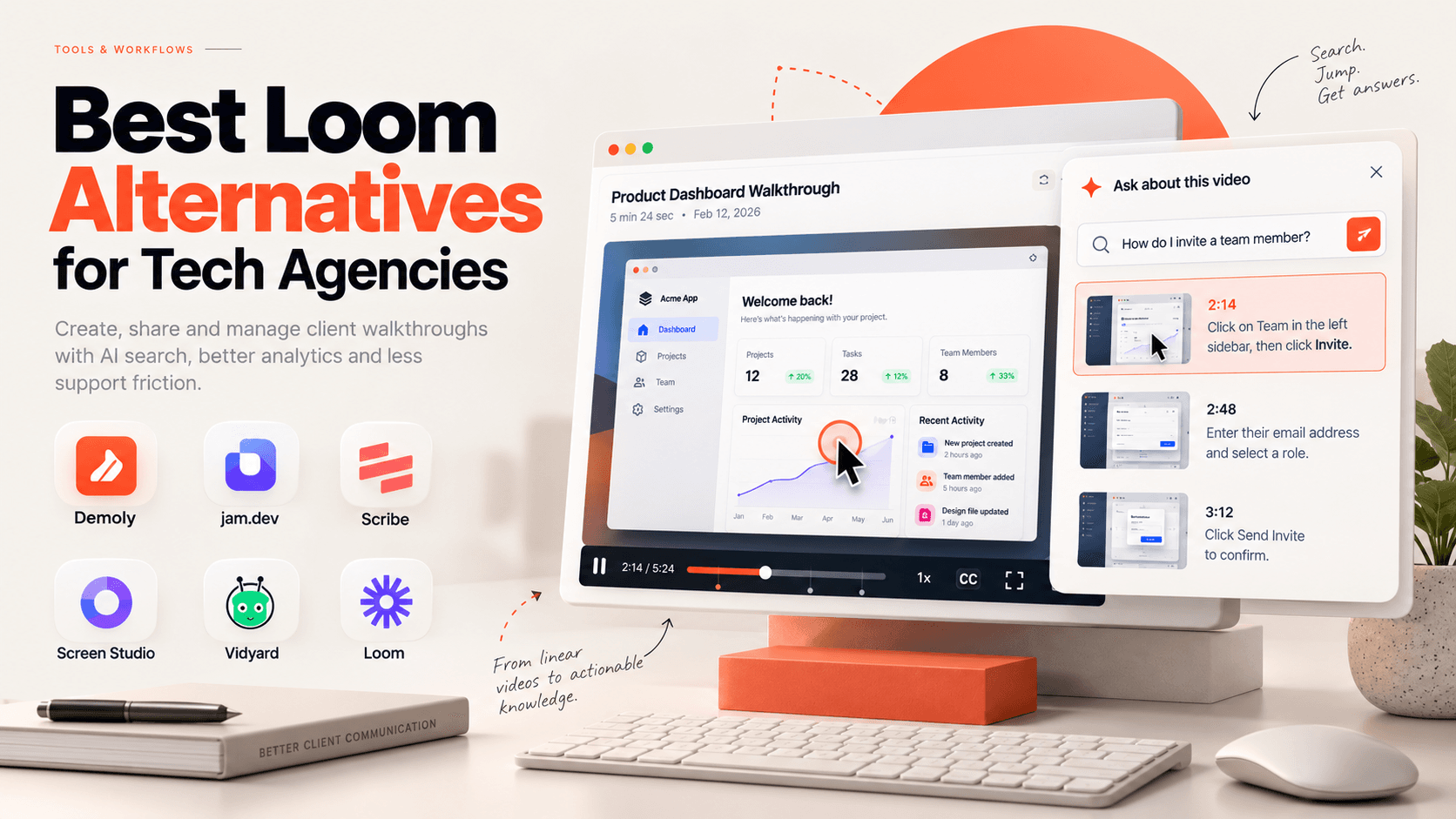
Best Loom Alternatives for Tech Agencies
Looking for Loom alternatives for your tech agency? Compare the 6 best tools for client handoffs, AI-searchable walkthroughs, QA bug reporting, and interactive documentation.
 Team Demoly
Try Demoly for your team
Create branchable, interactive demo recordings and deliverables in minutes with zero friction.