Best Loom Alternatives for Tech Agencies
Looking for Loom alternatives for your tech agency? Compare the 6 best tools for client handoffs, AI-searchable walkthroughs, QA bug reporting, and interactive documentation.

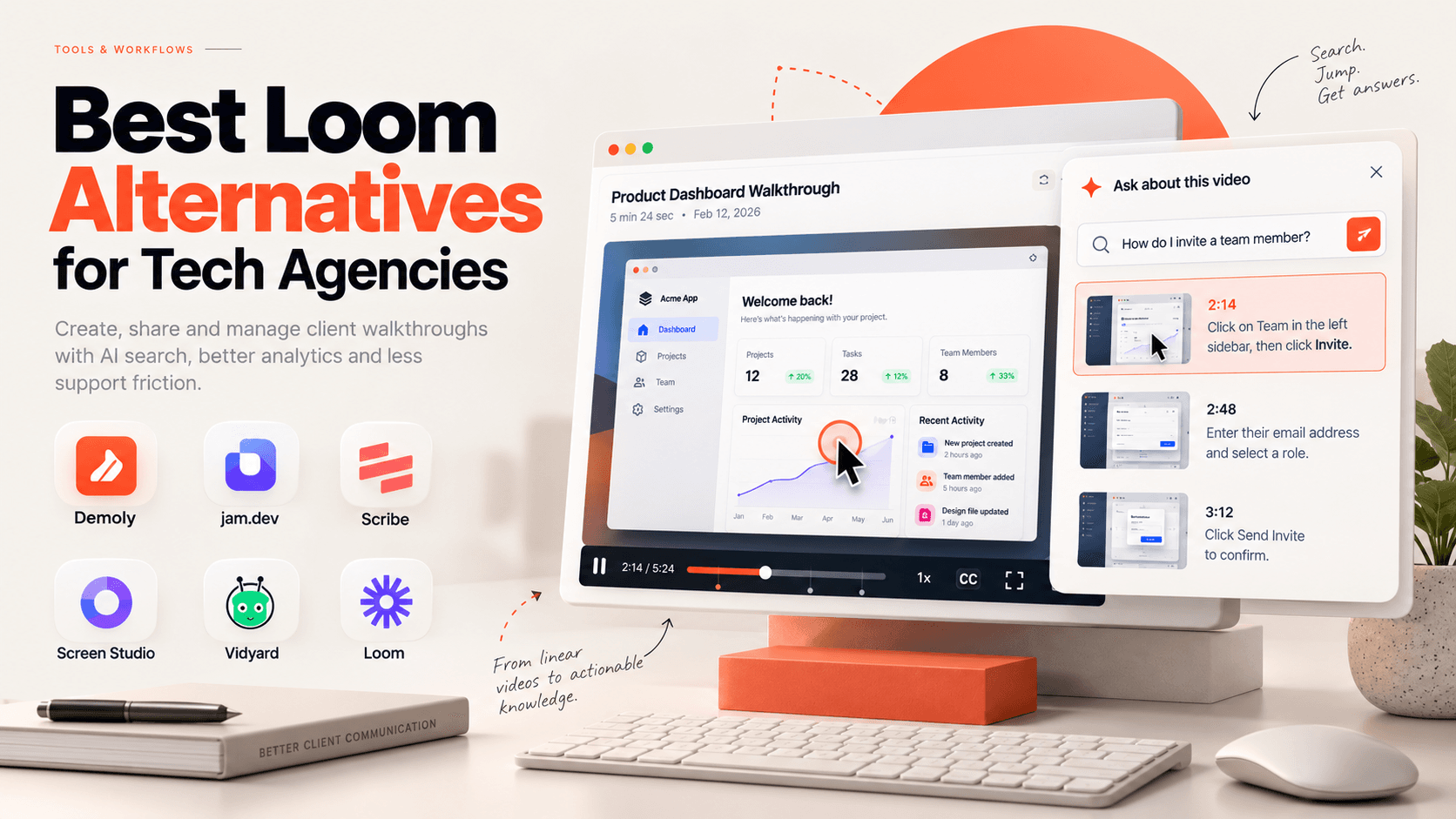
Best Loom Alternatives for Tech Agencies
Loom made asynchronous video recording effortless for internal communication, but digital agencies, web development studios, and software engineering teams often run into friction when using it for client deliveries. Handing off a custom web application, e-commerce platform, or complex content management system to non-technical clients is very different from recording a casual team update.
For comprehensive projects, walkthroughs can easily stretch past ten or fifteen minutes, and most non-technical clients are unlikely to watch them from start to finish. When they need to recall a task two weeks after launch, such as updating an API secret or inviting a team member, scrubbing through a flat video timeline is inefficient. Many give up, leading to unbilled support requests and follow-up calls.
The problem is that standard screen recorders treat video as a passive media file. Tech agencies need something clients and technical leads can actually query.
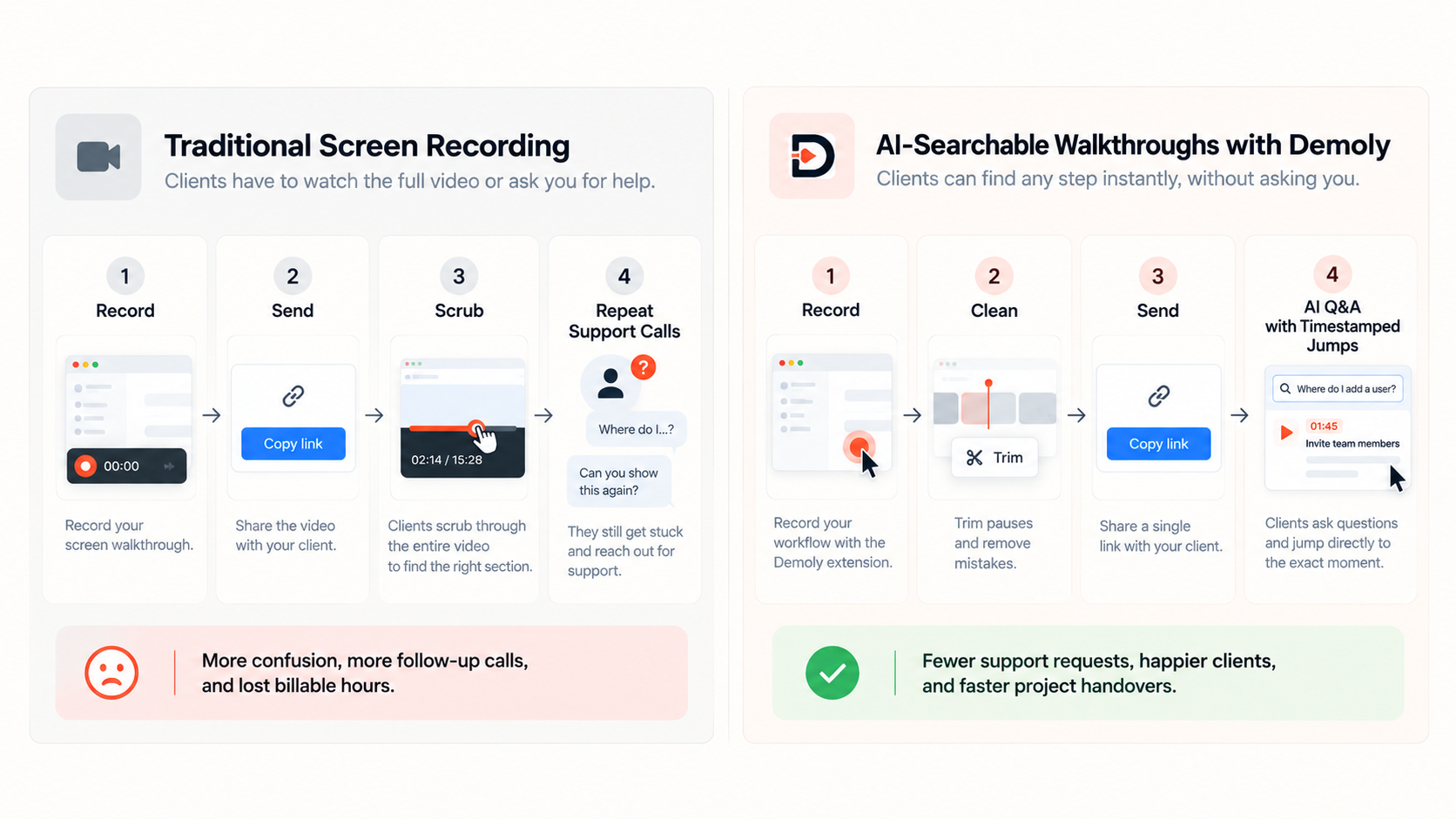
Why Agencies Need More Than Loom
Using standard screen recorders for client project handoffs creates four distinct operational bottlenecks:
Scrolling through videos wastes billable hours: Technical deliverables routinely run 10 to 20 minutes, yet clients rarely watch them end to end. Guessing where a single setting lives on a flat timeline frustrates non-technical stakeholders, driving them to abandon the video and request unbilled support calls or Zoom sessions.
Audio transcripts miss silent technical workflows: Traditional tools only index spoken words. When an engineer silently toggles webhooks, inspects database configurations, or changes environment variables without narrating every click aloud, those steps remain invisible to search.
Security risks in staging and live environments: Walkthroughs frequently reveal staging secrets, API keys, or customer personal data. Because conventional recorders lack permanent frame-level redaction, creators must either discard the entire take and re-record it or risk leaking credentials.
Lack of interactive technical context: Flat video files offer no direct utility. Viewers cannot highlight and copy code snippets or endpoints from the screen, nor can they pin feedback to specific interface elements.
What Agencies Should Look for in an Asynchronous Video Tool
Before choosing an alternative, agency delivery leads should evaluate candidate software against four core capabilities:
Visual and Voice Indexing: The platform must index both spoken dialogue and on-screen actions (clicks, route changes, text inputs, and multi-tab navigation) so clients can query unvoiced actions and jump to the exact visual timestamp.
Zero Client Friction: External stakeholders should be able to view, query, and comment on walkthroughs directly in their browser without creating accounts, purchasing seats, or installing extensions.
Permanent Frame-Level Redaction: To avoid leaked credentials or time-consuming post-production editing, the tool must permanently purge sensitive API keys and client data at the canvas layer rather than applying superficial CSS blurs.
Interactive Technical Context: The capture environment should support element-anchored annotations, multi-tab workflow continuity, and direct on-screen text extraction for code, logs, and URLs.
The 6 Best Loom Alternatives for Tech Agencies (Compared)
1. Demoly: Best for AI-Searchable Client Project Handovers
Demoly is an interactive, AI-searchable walkthrough platform built for digital agencies, web development studios, and product teams. It captures browser workflows and indexes both spoken voice and visual interactions, turning screen recordings into searchable, self-serve documentation.
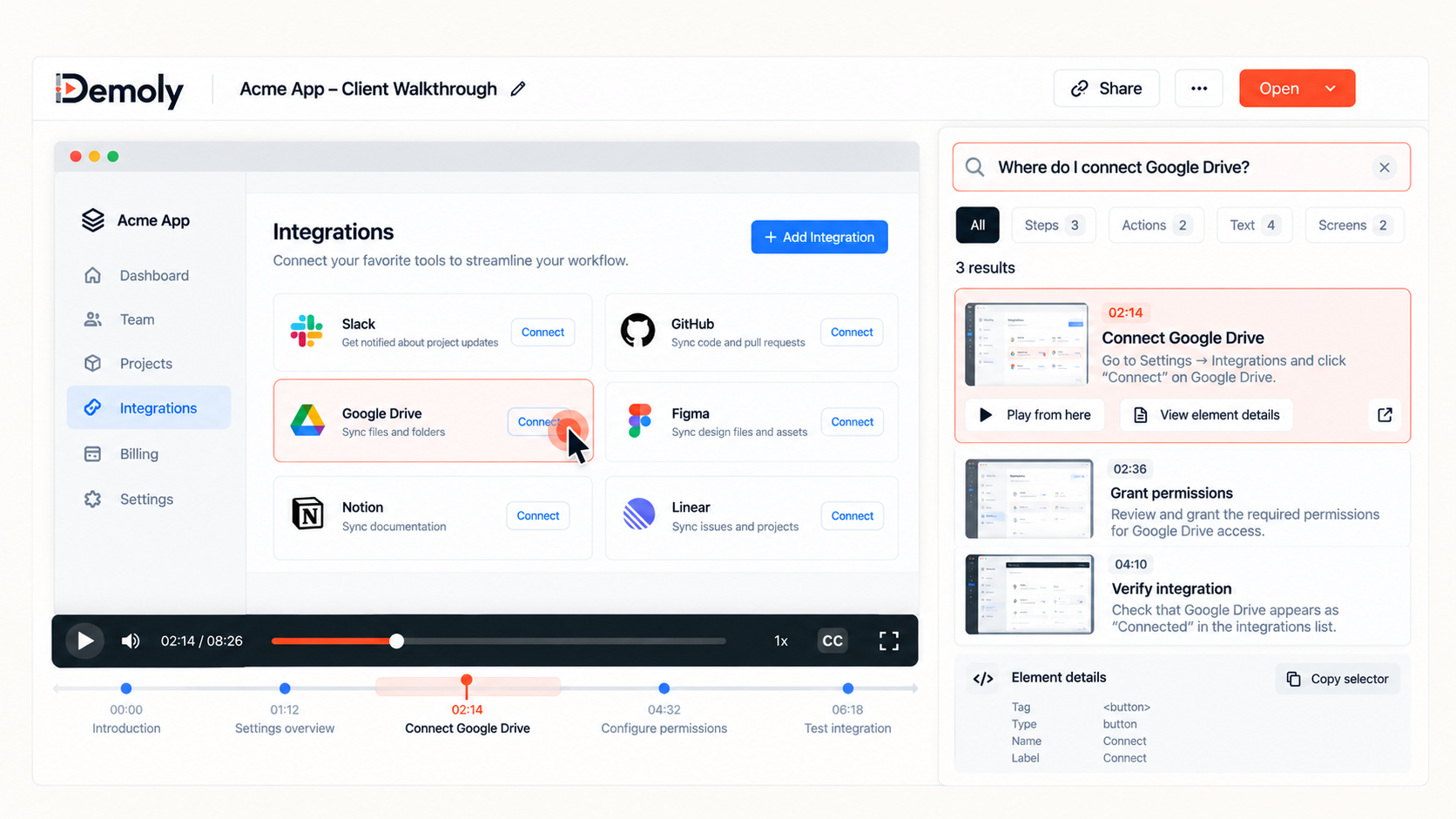
Overview and Core Workflow
Demoly lets agency teams record browser-based walkthroughs across multiple tabs using a lightweight extension. After recording, teams can trim pauses, remove mistakes, and cut accidental tab switches without starting over. It also includes permanent canvas redaction for sensitive client data, credentials, and API keys.
Instead of watching an entire walkthrough, clients can ask natural-language questions such as, "Where do I connect the Stripe webhook?" Demoly searches both spoken dialogue and silent visual actions, returning relevant instructions with timestamps that jump to the exact moment. Viewers can also copy visible text or code, open live tab URLs, and leave comments on specific page elements.
Where It Beats Loom
Indexes silent visual actions: Demoly can find visual clicks, form inputs, and tab switches that happen without narration.
Reduces follow-up meetings: Clients can use AI Q&A to find answers without asking the agency to explain the same task again.
Permanent canvas redaction: Teams can permanently hide sensitive data directly in the recording.
Interactive feedback: Clients and developers can leave feedback on specific web elements and copy text or code from video frames.
Where It Falls Short
Browser-workflow focus: Demoly is built primarily for browser workflows and web apps, not full-desktop recording or advanced video editing.
Not an internal messenger: It is designed for project handoffs, onboarding, and documentation rather than quick internal team messages.
Pricing and Seat Structure
Free Plan ($0/month): Unlimited recordings, 15-minute limit, 5 AI-enabled recordings per month, unlimited AI Q&A on enabled videos, and free client viewers.
Pro Plan ($8/creator/month): Unlimited recordings, 30-minute limit, unlimited AI-enabled recordings and AI Q&A, with free client viewers.
Agency Model: Agencies pay for internal creators, while clients can view and query recordings for free without accounts.
2. Jam.dev: Best for Engineering QA and Developer Bug Logging
Jam.dev is an asynchronous capture tool built specifically for developers, QA engineers, and technical project managers to report and reproduce browser bugs.
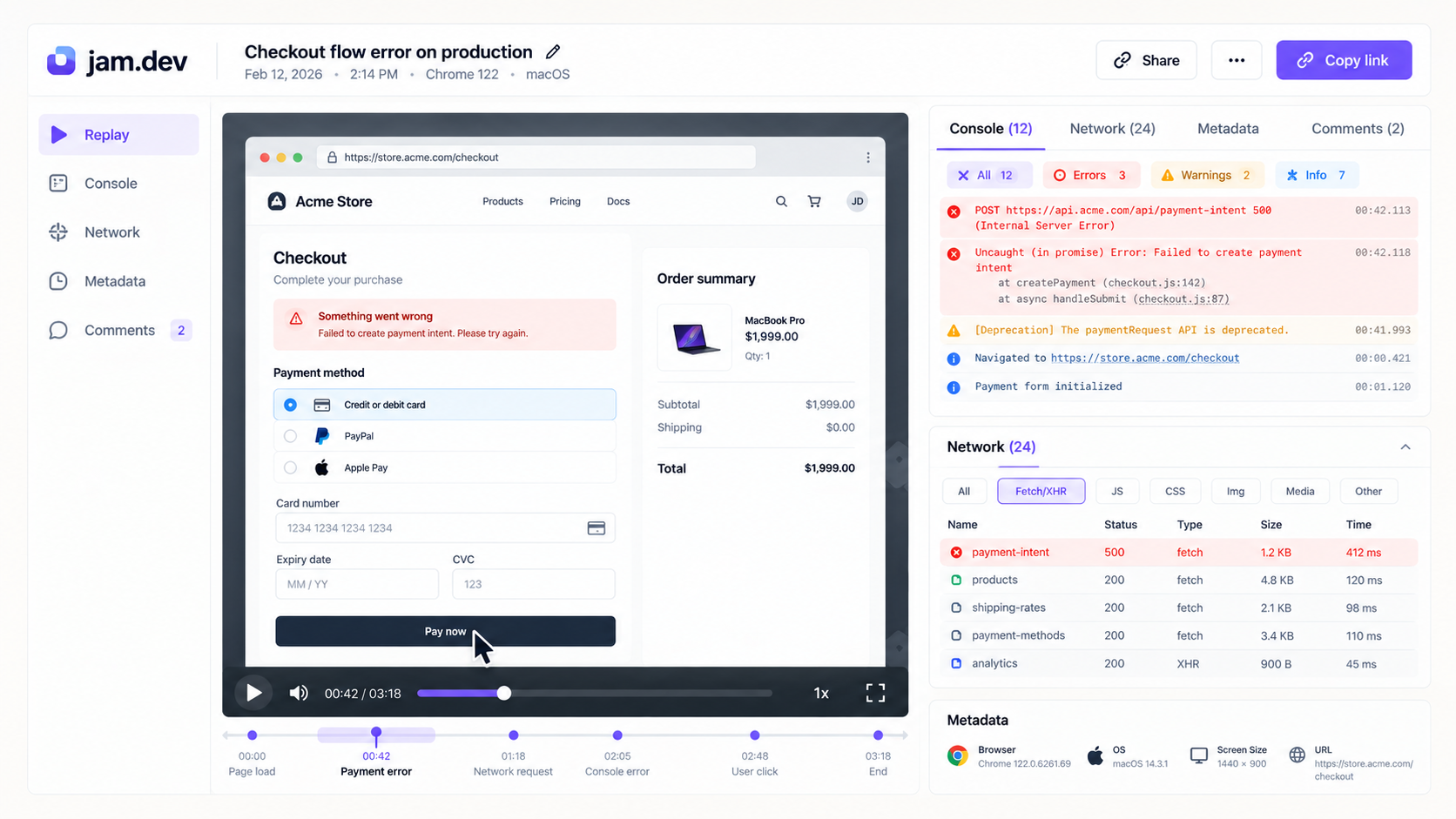
Overview and Core Workflow
Operating as a browser extension, Jam records screen actions while automatically capturing technical diagnostic data: console errors, network requests with failing payloads, and device specifications. It routes directly into issue trackers like Jira, Linear, and GitHub, allowing testers to submit reproducible bug tickets in one click.
Where It Performs Well
Automated technical context: Captures network logs and browser console errors alongside video, eliminating back-and-forth communication between QA and engineering.
Native issue tracking: Creates structured bug tickets in developer platforms with environmental metadata pre-formatted.
Instant replay: Retroactively captures bugs that just occurred without requiring users to reproduce them on camera.
Where It Falls Short for Tech Agencies
Restricted to bug reporting: Designed strictly for issue logging, making it unsuitable for client onboarding, product training, or long-form project handovers.
No client self-service: Lacks a conversational search layer, meaning clients cannot ask questions or search across recorded workflows.
Pricing and Seat Structure
Free Plan ($0): Up to 30 recorded items with Jira and Linear integration.
Team Plan ($14/creator/month billed annually): Unlimited captures, extended recording limits, and AI summaries. (Note: Competitor pricing is subject to vendor updates.)
3. Scribe: Best for Auto-Generated Written Process Documentation
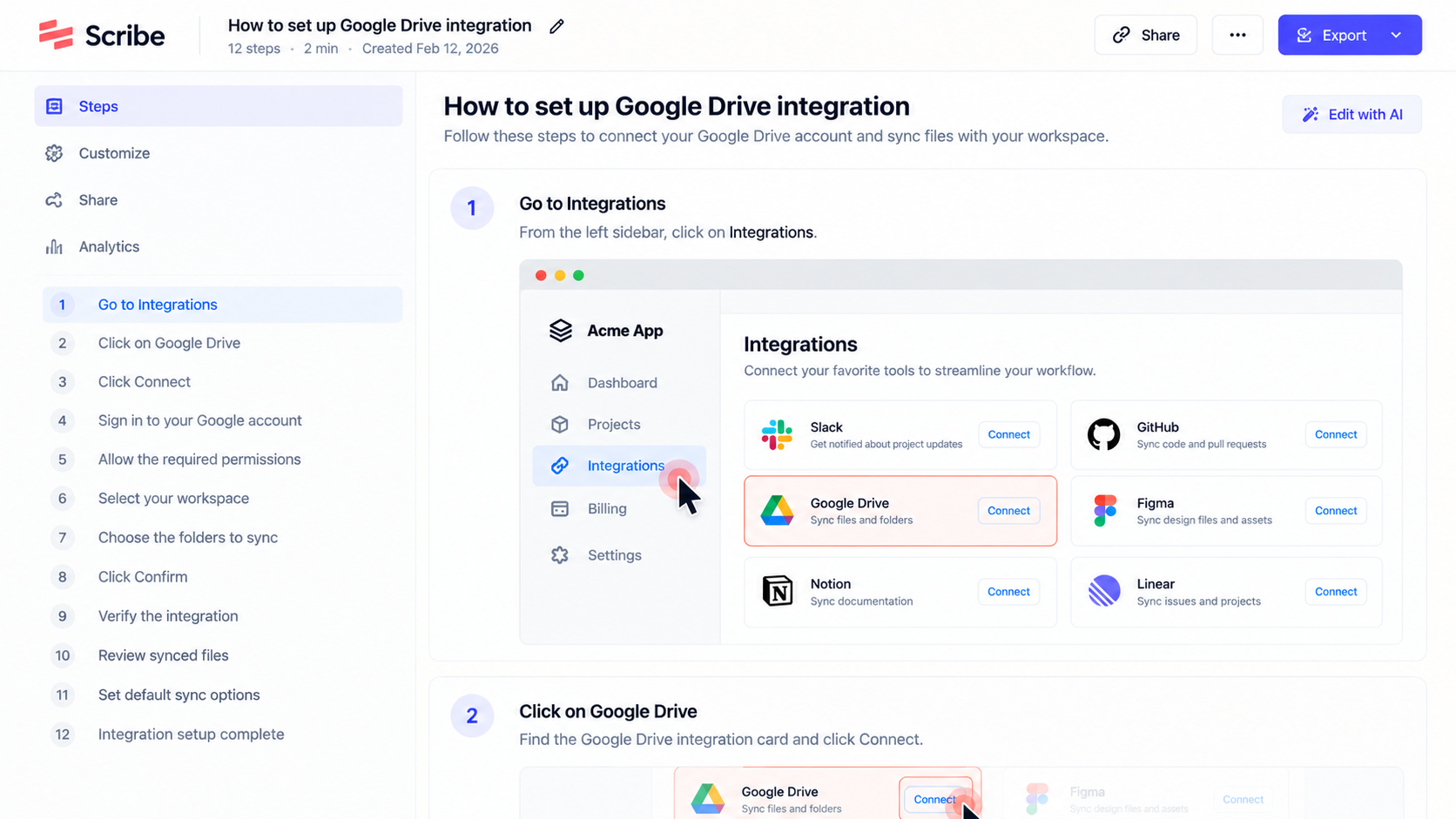
Scribe replaces continuous video recording by tracking clicks and keystrokes to generate step-by-step written guides and standard operating procedures (SOPs).
Overview and Core Workflow
While a user performs a browser workflow, Scribe monitors click events in the background. When the session ends, it automatically generates a written, numbered guide with cropped screenshots and highlighted interface targets. It is ideal for teams delivering static backend guides for systems like WordPress, Webflow, or Shopify.
Where It Performs Well
Rapid visual scanning: Clients can scan a written document in seconds without sitting through a video.
Simple maintenance: Individual steps or screenshots can be edited or replaced without re-recording the entire workflow.
Universal export options: Documents export easily to PDF, Markdown, HTML, or team knowledge bases like Notion and Confluence.
Where It Falls Short for Tech Agencies
Lacks voice and motion nuance: Cannot convey spoken architectural context, design rationale, or complex software behavior.
Rigid click paths: If a client has a question about a feature that was not explicitly clicked during the session, the static guide provides no answers.
Pricing and Seat Structure
Basic Plan ($0): Free web-based document generation and sharing.
Pro Plans: Typically start around $13 to $25 per user per month for desktop capture and branded exports. (Note: Competitor pricing is subject to vendor updates.)
4. Screen Studio: Best for High-Polish Client Presentations (macOS)
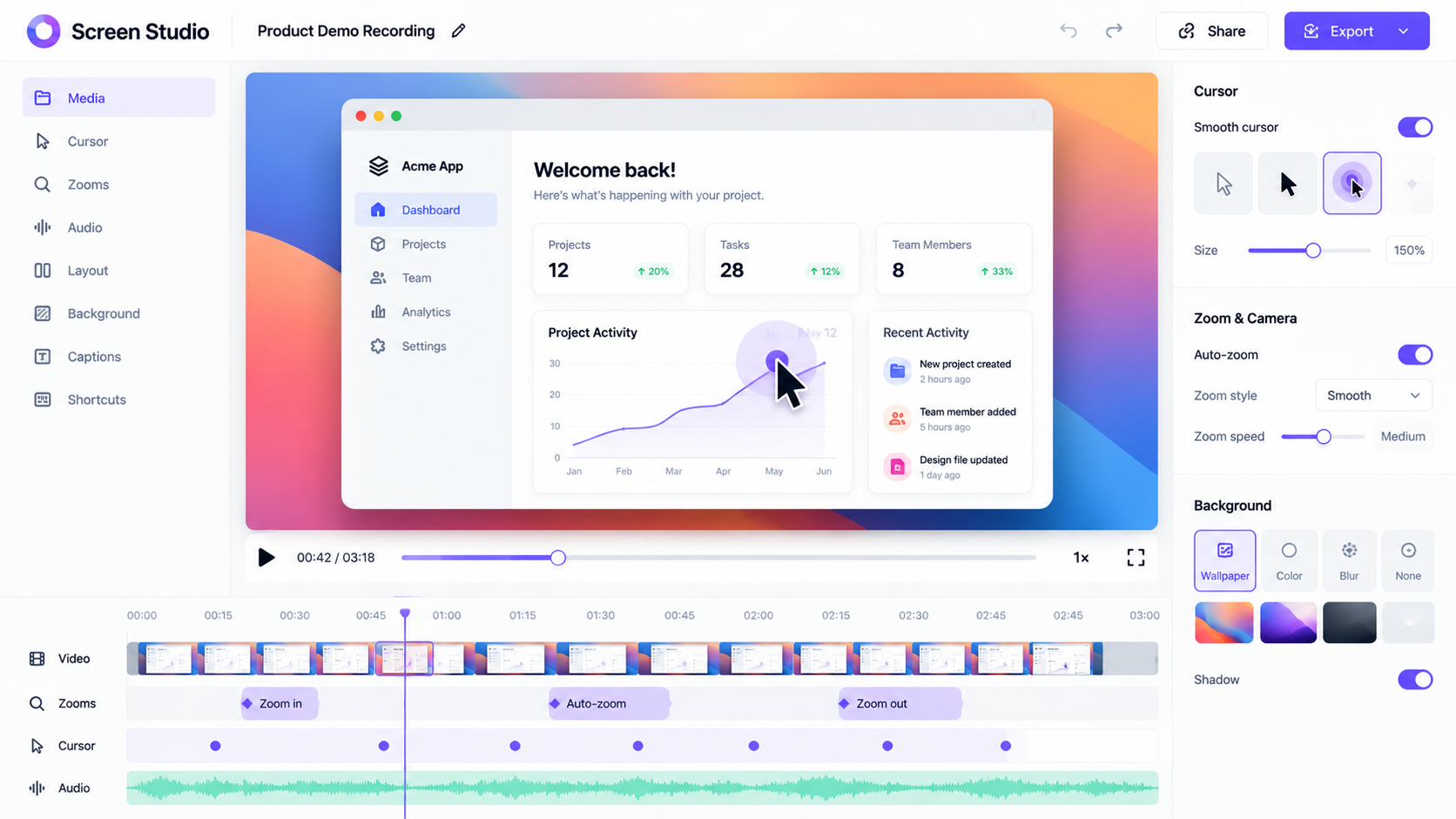
Screen Studio is a macOS-exclusive screen recorder designed to create cinematic, marketing-grade presentation videos without manual editing.
Overview and Core Workflow
Screen Studio captures desktop video on macOS and automatically applies motion design effects: it smooths jittery cursor movement, adds background padding and drop shadows, and auto-zooms into active click targets. It produces refined MP4 files ideal for agency portfolio reels, feature demos, and marketing showcases.
Where It Performs Well
High production quality: Automatic cursor smoothing, camera pans, and zooming provide an agency-level finish without video editing experience.
High-resolution exports: Exports in high-frame-rate 4K with multiple aspect ratios for web, desktop, and social delivery.
Where It Falls Short for Tech Agencies
macOS only: Completely unavailable for teams operating on Windows or Linux workstations.
Passive video files: Produces flat MP4 files with no DOM indexing, no text extraction, and no AI Q&A layer for client queries.
Pricing and Seat Structure
Pricing Model: Typically priced around $29 per month on monthly billing, or roughly $9 per month billed annually (~$108/year) per user. (Note: Competitor pricing is subject to vendor updates.)
5. Vidyard: Best for Agency Business Development and Video Sales Pitches
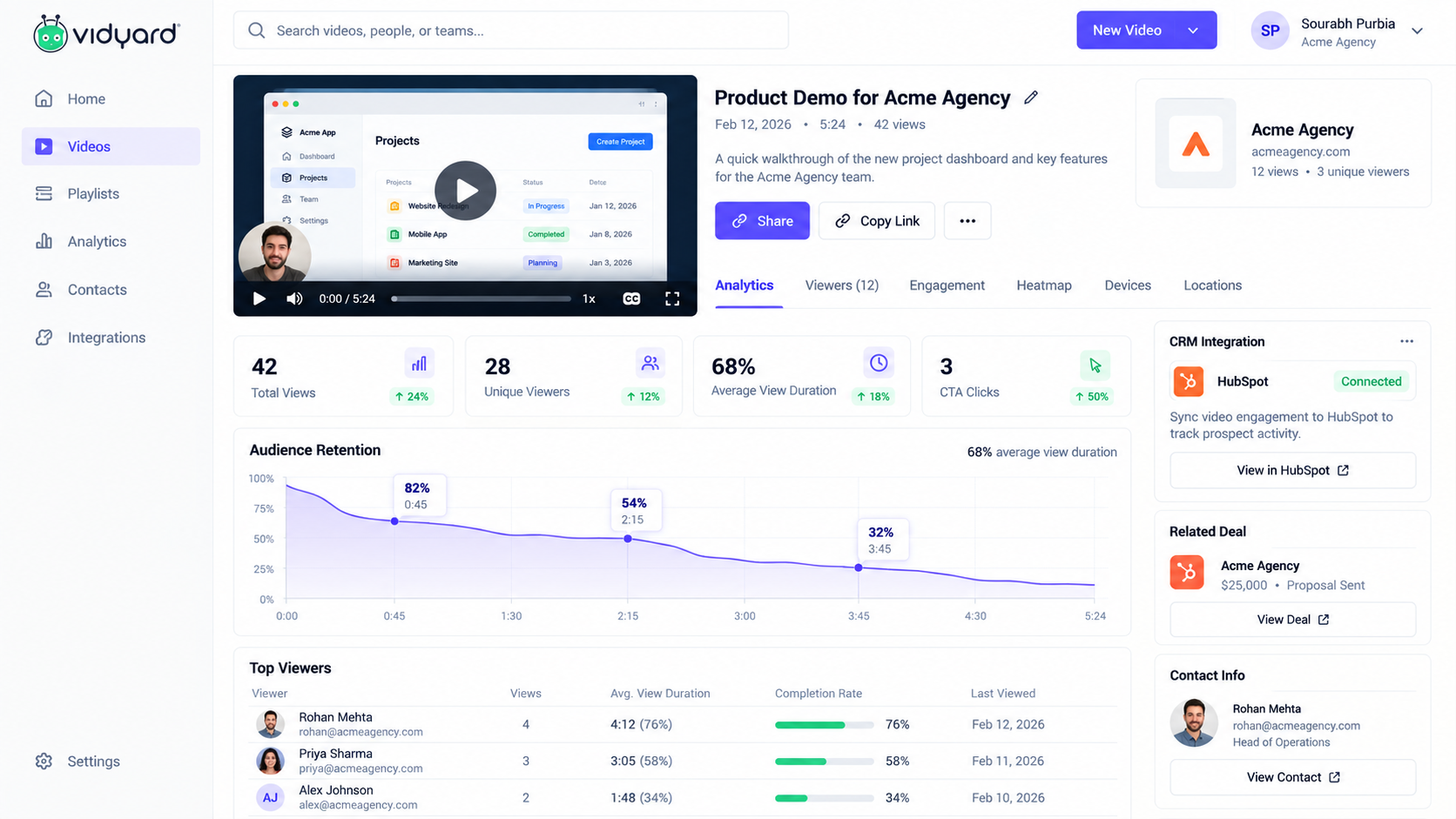
Vidyard is a video messaging platform focused on business development, outbound prospecting, and sales pipeline tracking.
Overview and Core Workflow
Vidyard lets account executives and agency founders record short personalized pitch videos, insert animated GIF previews into sales emails, and monitor prospect view times. It syncs directly with CRMs like HubSpot and Salesforce to notify reps when leads re-watch proposal videos.
Where It Performs Well
Granular CRM analytics: Tracks second-by-second viewer retention per contact and syncs viewing milestones into CRM deal stages.
In-video conversion forms: Embeds interactive scheduling links and lead-capture forms directly inside the video player.
Where It Falls Short for Tech Agencies
Misaligned with delivery: Built for sales outreach, lacking the visual indexing, element-level comments, and frame redaction needed for technical software delivery.
Higher enterprise tiers: Advanced viewer tracking and automated CRM sync require higher-tier commercial plans.
Pricing and Seat Structure
Free Plan ($0): Basic video recording and hosting limits.
Pro and Business Plans: Typically start around $19 to $29 per user per month, scaling up for enterprise CRM features. (Note: Competitor pricing is subject to vendor updates.)
6. Loom: Best for Quick, Casual Internal Team Messaging
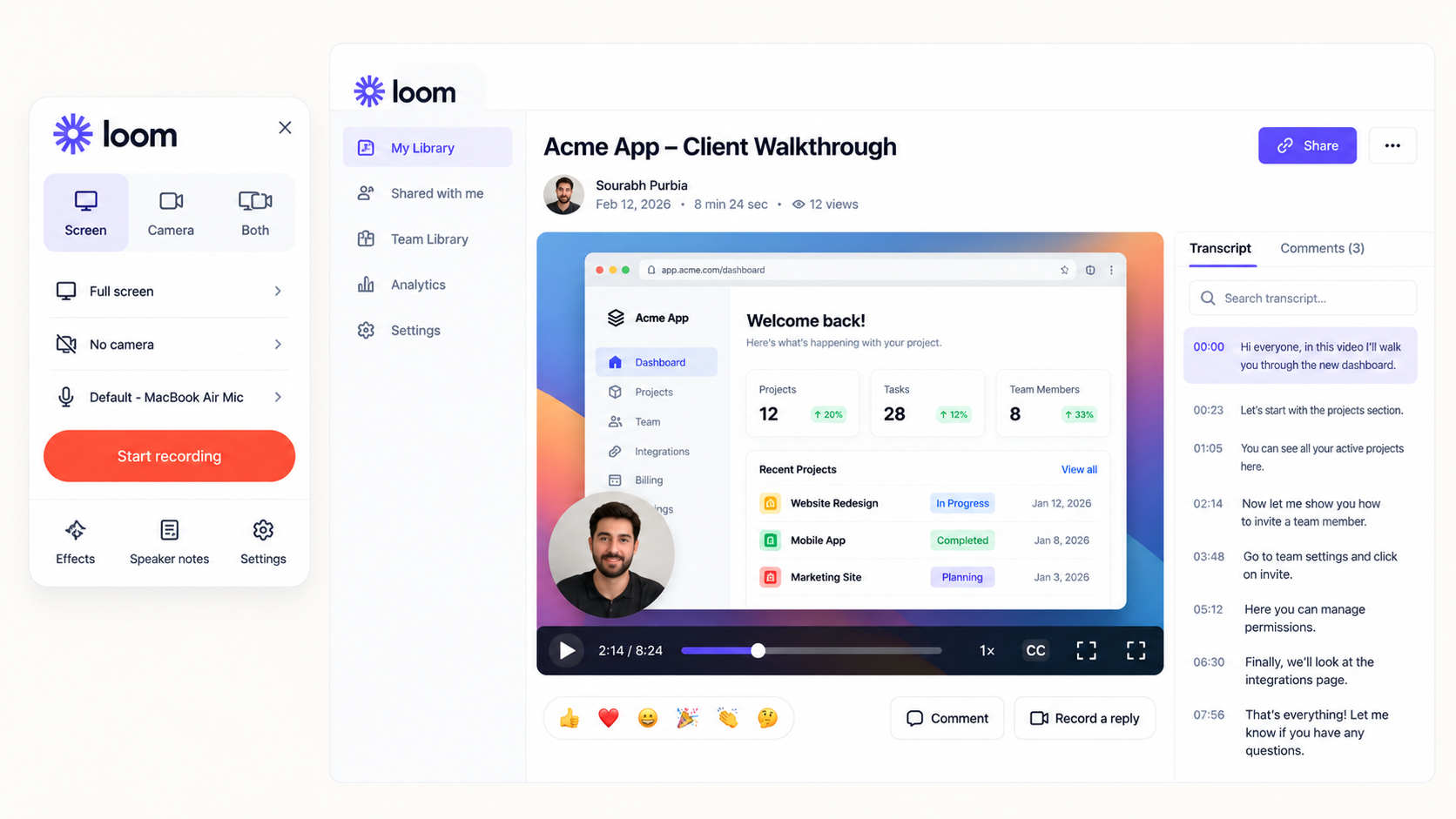
Loom remains the standard tool for rapid, low-stakes asynchronous communication between internal teammates.
Overview and Core Workflow
Loom provides a fast way to record quick webcam-plus-screen clips to replace internal status meetings or clarify a design detail in Slack. Recordings are processed in the cloud almost instantly, generating a shareable link within seconds of finishing the recording.
Where It Beats Competitors
Ecosystem ubiquity: Native integrations across Slack, Jira, Notion, and Google Workspace make it simple to drop video snippets into daily team discussions.
Fast internal sharing: For a sixty-second operational sync with an internal designer or developer, Loom's quick capture is hard to beat.
Where It Falls Short for Agencies
Expensive creator seat costs: Paid Business plans start around $12.50 to $18 per creator per month, making it expensive to license an entire agency team.
Free plan limitations: The free Starter plan restricts users to five-minute recordings, making comprehensive client walkthroughs impossible without upgrading.
Audio-only search: Loom only indexes audio transcripts, leaving unvoiced technical clicks and setting adjustments unindexed.
Pricing and Seat Structure
Starter ($0): Up to 25 videos per user, capped at 5 minutes per recording.
Business ($18/user/month billed monthly, or ~$12.50 to $15 billed annually): Unlimited videos, unlimited recording time, basic editing, and transcript exports. (Note: Competitor pricing is subject to vendor updates.)
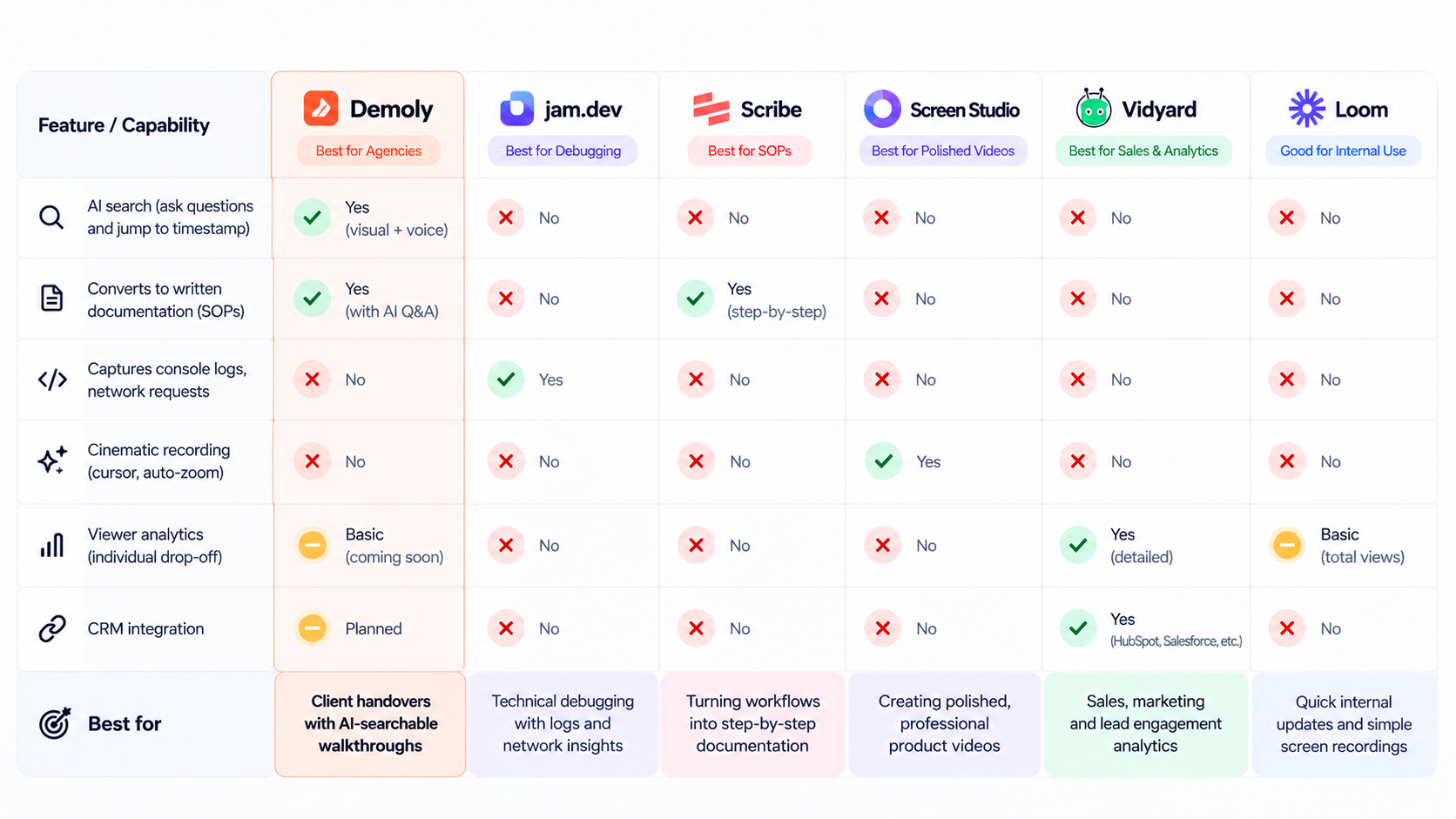
Feature and Use-Case Comparison Matrix
The following matrix compares all six platforms across primary use case, capture technology, client searchability, privacy controls, viewer accessibility, and starting price:
Tool | Primary Agency Use Case | Capture Technology | Client Searchability | Privacy & Redaction Controls | Free Client Viewer Access | Starting Price |
|---|---|---|---|---|---|---|
Demoly | Client project handovers & web app walkthroughs | Browser DOM + Visual AI indexing | Visual + Voice AI (Ask questions, jump to timestamps) | Permanent canvas removal at frame layer | Yes (Unlimited free viewers) | Free ($0) / Pro: $8/mo |
Jam.dev | QA bug logging & dev error tracking | Extension + Dev Console/Network logs | None (Ticket search via Jira/Linear) | Manual screenshot/DOM masking | Yes | Free ($0) / Team: $14/mo |
Scribe | Written SOPs & step-by-step click manuals | Click-event screenshot sequence | Text search across generated document | Screenshot crop & blur tools | Yes | Free ($0) / Pro: from $13–$25/mo |
Screen Studio | High-polish marketing demos & social clips | macOS native screen pixel capture | None (Flat video export) | None (Requires post-edit masking) | N/A (Standard MP4 files) | $9–$29/month |
Vidyard | Outbound sales pitches & proposal tracking | Standard screen/camera pixels | Transcript search | Basic trim controls | Yes | Free ($0) / Pro: ~$19/mo |
Loom | Casual internal team messaging | Standard screen/camera pixels | Audio transcript search only | Basic post-recording blur | Yes | Free (5-min cap) / Business: ~$18/mo |
Which Loom Alternative Should Your Agency Choose?
Selecting the best Loom alternative comes down to matching the tool's core capture architecture to your agency's delivery workflow:
For automated developer diagnostics, console error logging, and QA bug ticketing, choose Jam.dev.
For generating click-by-click written training manuals for client backend setups, deploy Scribe.
For producing cinematic marketing reels, social teasers, and promotional launch videos on macOS, use Screen Studio.
For outbound business development, pitch tracking, and sales CRM metrics, pick Vidyard.
For fast, informal internal video messages to teammates in Slack, stick with Loom.
For delivering completed web applications, digital products, and client walkthroughs without losing billable hours to repetitive post-launch support, choose Demoly.
Modern async platforms like Demoly and other specialized Loom alternatives allow agencies to move beyond static, flat recordings. By adopting tools that index both visual clicks and spoken explanations, your team can turn project deliveries into self-serve knowledge assets that clients can query on demand.
You can test Demoly with your agency on the free forever plan ($0, unlimited recordings) at demoly.dev.
Frequently asked questions
Commonly asked questions about this article.
01•Why do clients stop watching long Loom walkthroughs?
Clients often only need to resolve one specific task, like finding an API key or adding a user. Linear video forces them to guess and scrub across a timeline, leading to frustration, abandoned videos, and repeat support calls.
02•Can I redact client API keys or sensitive data in screen recordings?
While most tools rely on basic post-recording blurs that can slip or fail, platforms like Demoly offer permanent canvas removal. This permanently purges sensitive keys and personal data at the frame layer before a link is generated.
03•Do clients need an account to watch or search an interactive walkthrough?
No, modern walkthrough platforms like Demoly allow clients to watch recordings and query the AI search drawer directly in their browser. They do not need to create accounts, buy seats, or install browser extensions.
04•How do visual and voice AI search differ from standard video transcripts?
Standard transcripts only index spoken audio, missing anything an engineer did silently on screen. Visual and voice AI indexes both speech and interface actions, allowing viewers to search for unvoiced clicks, form inputs, and tab switches.
05•When should an agency keep using Loom instead of switching?
Loom remains the best choice for fast, low-stakes internal communication between teammates. If you only need to record quick two-minute updates for Slack or Jira without client-facing search or redaction, Loom works well.

Team Demoly
Contributing author covering precision walkthroughs and modern product engineering at Demoly.
Related Dispatches
View all dispatches →
Loom vs Vidyard: Which Is Better for Tech Agencies?
Compare Loom and Vidyard for tech agencies. Discover how screen capture, CRM tracking, video analytics, and client handoff workflows compare in practice.
Supademo vs Demoly: Interactive Demos vs AI-Searchable Walkthroughs
Compare Supademo and Demoly to choose between synthetic click-through demo tours and AI-searchable browser video walkthroughs for client handoffs and product guides.
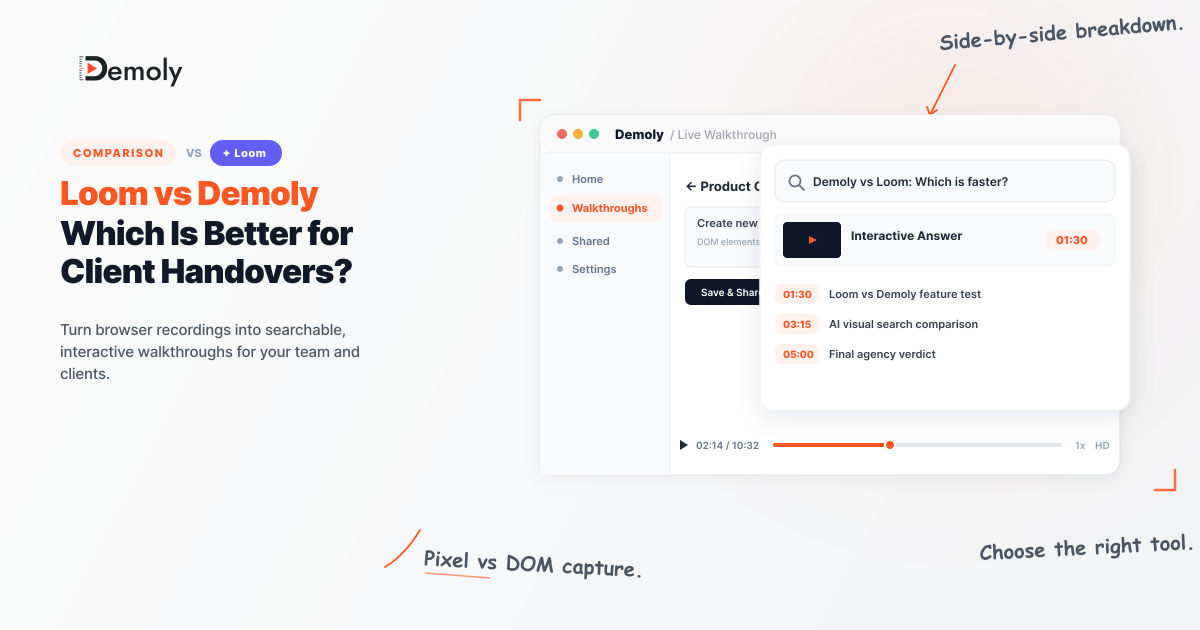
Loom vs Demoly: Which Is Better for Client Handovers?
Compare Loom and Demoly for client handovers. Discover why AI-searchable browser walkthroughs outperform flat video recordings for web agencies and product teams.
 Team Demoly
Try Demoly for your team
Create branchable, interactive demo recordings and deliverables in minutes with zero friction.